
Introduction to Paid Advertising
In the digital marketing world, paid advertising plays a critical role in driving traffic, increasing conversions, and boosting brand visibility. Platforms like Google Ads and Facebook Ads have revolutionized how businesses reach potential customers. If you’re running a business in the UK—whether you’re a startup or an established enterprise—understanding and leveraging these platforms can be a game-changer.
This guide will help you understand the ins and outs of Google and Facebook advertising, how they work, their advantages, and how to run successful ad campaigns that bring tangible results.
What Is Paid Advertising and Why Is It Important?
Paid advertising refers to online ad placements that businesses pay for in order to appear on search engines, social media platforms, websites, and apps. Instead of waiting for organic traffic, paid ads help you immediately reach your target audience.
Why it’s important:
- Instant visibility: Appear at the top of Google or in front of Facebook users instantly.
Paid advertising gives your business immediate exposure. With platforms like Google Ads, your website can show up at the top of search results as soon as your campaign goes live, even if your SEO isn’t strong yet. Similarly, with Facebook Ads, your products or services can appear directly in users’ news feeds, stories, and sidebars. This rapid visibility is ideal for launching new products, running time-sensitive promotions, or building brand awareness quickly.
- Laser targeting: Reach users based on interests, location, age, and behavior.
One of the biggest strengths of paid advertising is its advanced targeting capabilities. Platforms like Facebook and Google allow you to define precise audience segments, including:
- Demographics (age, gender, income level)
- Location (countries, cities, even postal codes)
- Interests (e.g., fitness, tech gadgets, parenting)
- Behaviors (past purchases, device usage, app interactions)
This means your ad is shown to the right people at the right time, increasing the chances of clicks and conversions while reducing wasted budget.
- Performance-based: You pay only for the results (clicks, impressions, or conversions).
Paid advertising is flexible and result-oriented. You can choose how you want to be charged:
- CPC (Cost-Per-Click): Pay only when someone clicks your ad.
- CPM (Cost-Per-Mille): Pay for every 1000 views (great for brand exposure).
- CPA (Cost-Per-Acquisition): Pay only when a specific action is taken, like a purchase or signup.
This pay-for-performance model ensures that your budget is being spent only when there’s engagement, making it easier to track ROI and optimize your campaigns.
- Scalable: Increase budget to scale your business fast.
Once your campaign is performing well, you can easily scale it up by increasing your budget. Unlike organic marketing, where growth is slow, paid advertising allows you to accelerate traffic, leads, and sales almost instantly. Whether you’re targeting a local market or planning to go global, paid ads let you amplify your reach quickly without needing to rebuild your strategy from scratch.
In short, if done correctly, paid ads can provide a high ROI and fuel business growth more effectively than traditional marketing methods.
Understanding Google Ads: The World’s Largest Ad Network
Google Ads, previously known as Google AdWords, is a pay-per-click (PPC) platform that allows you to display your ads across Google’s vast network. This includes:
- Search Ads – Appear at the top of Google’s search results.
Search Ads are text-based advertisements that show up at the very top (or bottom) of Google search result pages when someone searches for relevant keywords. These ads are highly intent-driven, meaning they target users who are actively looking for a solution, product, or service.
For example, if someone searches for “buy running shoes online,” a well-targeted search ad from an e-commerce store can appear instantly, capturing that potential buyer’s attention.
These ads are ideal for:
- Generating qualified traffic
- Driving immediate conversions
- Capturing leads from users with purchase intent
- Display Ads – Visual banner ads across 2+ million websites.
Display Ads are image-based or rich media ads that appear across the Google Display Network (GDN), which includes over 2 million websites, blogs, and apps. These are perfect for building brand awareness, retargeting users, and staying visible to potential customers throughout their browsing journey.
They can be placed in:
- Sidebars
- Headers
- In-article placements
With formats like static images, animated banners, or responsive ads, Display Ads allow you to visually represent your brand and offerings, often at a lower cost per click than search ads.
- Shopping Ads – Ideal for e-commerce; display product images, prices, and names.
Shopping Ads are specifically designed for e-commerce businesses. They display product images, prices, titles, store names, and reviews directly in Google’s search results and Shopping tab. These ads are visually rich and highly attractive, allowing users to compare products from different brands at a glance before clicking.
They’re perfect for:
- Promoting physical products
- Improving click-through rates with visual elements
- Attracting high-intent buyers ready to purchase
To run Shopping Ads, you need to sync your product feed via Google Merchant Center and link it to your Google Ads account.
- Video Ads (YouTube) – Shown before or during videos on YouTube.
Video Ads appear on YouTube before, during, or after videos. These ads can be skippable (after 5 seconds) or non-skippable, and also show up in YouTube search results or as recommended content.
Video ads are highly effective for:
- Brand storytelling
- Product demonstrations
- Driving engagement with emotion, visuals, and sound
With billions of active users, YouTube gives you the ability to target based on interests, viewing behavior, age, gender, and more, making video ads a powerful way to create impact.
- App Ads – Promote your mobile app on Google Play, YouTube, and search.
App Ads are specifically designed to increase app downloads, engagement, or in-app actions. These ads run across Google Search, Play Store, YouTube, and over 3 million websites and apps in the Google Display Network.
You don’t need to design individual ads—Google uses your app’s listing and assets (text, images, videos) to automatically create and optimize ads.
Perfect for:
- Launching a new app
- Boosting app installs and user acquisition
- Re-engaging inactive users
This is one of the most automated and efficient ad types within the Google ecosystem, optimized through machine learning.
Benefits of Google Ads:
- Reach users who are actively searching for what you offer.
This means your ads are shown to potential customers at the exact moment they’re searching for products or services like yours. For example, if someone searches “best malware removal service,” your ad can appear at the top of the search results — increasing the chance they’ll click and convert. Unlike traditional advertising (like billboards or TV), search ads target users with intent, meaning they’re already interested in what you provide, which leads to higher conversion rates and more qualified traffic to your website.
- Get measurable insights and control your budget.
One of the biggest advantages of digital advertising (like Google Ads or Facebook Ads) is the transparency and control it offers. You can see exactly:
- How many people viewed your ad.
- How many clicked it.
- How many took action (purchases, sign-ups, etc.).
- What it cost per click, impression, or conversion.
This data helps you track ROI (Return on Investment) and refine your campaigns over time. Plus, you can set daily or monthly budgets, adjust bids, and pause or stop ads anytime — ensuring you never spend more than you intend.
- Highly customizable and location-specific targeting.
Digital ads allow you to fine-tune who sees your ads based on various filters such as:
- Location (countries, cities, ZIP/postcodes, or radius targeting).
- Demographics (age, gender, income).
- Devices (mobile, desktop, tablet).
- Interests and behaviors.
For local businesses, this is especially useful. You can show your ad only to users within a specific area — like people within 20 miles of your shop or service location — maximizing relevance and reducing wasted spend on irrelevant audiences.
Understanding Facebook Ads: Social Media Targeting at Its Best
Facebook Ads, which includes advertising on Instagram, allows you to show targeted ads to people based on demographics, interests, behaviors, and more. It’s part of the Meta Ads Manager ecosystem.
Types of Facebook/Instagram Ads:
- Image Ads
Image ads are one of the most straightforward and effective formats in online advertising. They use a single high-quality image to capture attention and deliver a clear message. These ads are commonly used on platforms like Facebook, Instagram, and Google Display Network to promote a product, service, or brand visually. When designed well, image ads can drive clicks and conversions by quickly conveying your value proposition to potential customers.
- Video Ads
Video ads are dynamic and engaging, making them ideal for storytelling or demonstrating a product in action. These ads can appear on platforms like YouTube, Facebook, and Instagram, and are effective in increasing brand awareness and engagement. Video content tends to hold user attention longer than static images, and it allows for more creative expression and deeper emotional connection with the audience.
- Carousel Ads (multiple images or videos)
Carousel ads allow advertisers to display multiple images or videos within a single ad unit. Each card in the carousel can have its own headline, description, and link. This format is perfect for showcasing multiple products, features, or steps in a story. It gives users more control over what they see, as they can swipe through the cards, leading to increased interaction and higher engagement rates.
- Lead Ads (collect user info directly)
Lead ads are designed specifically to collect information from users without requiring them to leave the platform. These are especially useful for generating leads for services, newsletters, consultations, or events. With pre-filled forms that use information from users’ profiles (like name and email), lead ads make it easy and quick for people to submit their details, improving conversion rates.
- Collection Ads (ideal for e-commerce)
Collection ads are highly visual and optimized for mobile, making them ideal for e-commerce businesses. These ads feature a cover image or video followed by a selection of product images pulled from a catalog. When users click on the ad, it opens an instant experience — a fast-loading, full-screen storefront — where they can explore and shop for products without leaving the platform. This provides a seamless path from discovery to purchase, increasing the chances of conversion.
Benefits of Facebook Ads:
- Tap into Facebook and Instagram’s massive user base.
Facebook and Instagram offer access to one of the largest and most active user bases in the world, making them powerful platforms for advertisers. With billions of monthly active users across both platforms, you can reach people of all ages, interests, and locations. Whether you’re promoting a local business or an international brand, these platforms provide a scalable way to put your message in front of a highly engaged audience. The constant scrolling behavior of users also increases the chances of your ad being seen and interacted with.
- Target extremely specific audiences (e.g., new parents in London who love yoga).
One of the most valuable features of Facebook and Instagram advertising is the ability to target extremely specific audiences. You’re not limited to general demographics — you can go deeper. For example, you can show your ad specifically to new parents in London who are interested in yoga, organic products, or baby gear. This precision targeting is based on users’ behavior, interests, location, age, gender, language, device use, and even life events. The result is less wasted ad spend and more meaningful engagement with people who are most likely to become your customers.
- Use engaging formats like video, carousel, and story ads.
These platforms also support a wide variety of engaging ad formats, including video ads, carousel ads (with multiple images or videos), story ads (vertical, full-screen, time-limited), and collection ads. These visually rich formats are designed to stand out in a user’s feed or story section. Interactive and immersive, they allow you to tell a story, demonstrate products, and drive users to take action — whether it’s clicking a link, watching a video, or making a purchase. The flexibility of these formats helps brands create more memorable and persuasive ads.
Key Differences Between Google Ads and Facebook Ads
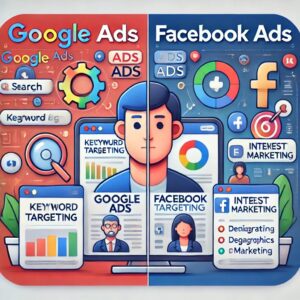 While both platforms offer amazing opportunities, they work differently and serve different purposes.
Feature Google Ads Facebook Ads
Audience Intent High (search-based) Low (interest-based)
Ad Placement Search results, YouTube, websites Facebook, Instagram, Messenger
Best For Keywords with purchase intent Brand awareness & remarketing
Targeting Method Keywords & location Demographics & interests
Visual Appeal Text-heavy (mostly) Highly visual
If you’re selling a product people search for (e.g., “buy leather shoes”), Google Ads is ideal. If you’re building brand awareness (e.g., a new fashion brand), Facebook Ads can work wonders.
How to Set Up a Successful Google Ads Campaign
Creating a Google Ads campaign involves the following steps:
- Define your goals: Sales, leads, website traffic, brand awareness.
Start by defining your goals clearly. What do you want to achieve with your advertising campaign? Your objective could be generating direct sales, collecting leads, driving traffic to your website, or increasing brand awareness. Defining your goal is critical because it guides every aspect of your campaign — from the type of ad you run to how you measure success. For example, if you’re aiming for sales, you’ll optimize for conversions, while brand awareness campaigns focus on impressions and reach.
- Choose your campaign type: Search, Display, Shopping, Video, etc.
Next, choose the right campaign type based on your goals and audience behavior. Google Ads and other platforms offer multiple campaign types: Search ads show up in search engine results, ideal for capturing intent-driven traffic. Display ads appear on websites within the Google Display Network, great for visual exposure. Shopping ads are ideal for e-commerce and show product images, prices, and names directly in search results. Video ads, often run on YouTube, are perfect for storytelling and brand engagement. Selecting the right campaign type ensures your message reaches your audience in the most effective format.
- Select your audience: Location, language, demographics.
Selecting your audience is a critical step to ensure your ads reach the right people. You can define your audience by location (country, city, radius), language, and demographics (age, gender, income, etc.). Some platforms allow even more advanced targeting, such as by interests, behaviors, or recent activities. By narrowing your audience, you reduce wasted ad spend and improve the chances of conversions, as your ads are seen by people who are more likely to be interested in your offerings.
- Set your budget and bidding strategy: Manual or automated CPC.
Set your budget and bidding strategy wisely. You can choose between manual bidding (where you set the cost-per-click yourself) or automated bidding strategies (where the platform adjusts your bids to get the best results based on your goals). Your budget can be set daily or for the entire campaign. Understanding your bidding strategy is essential to maintain cost control and ensure your ads are shown competitively in the ad auction.
- Do keyword research: Use tools like Google Keyword Planner.
Keyword research is the foundation of a successful search ad campaign. Use tools like Google Keyword Planner to discover high-performing keywords related to your products or services. Identify keywords with a good balance of search volume and competition. This ensures your ads show up for the right queries and that you’re not wasting money on irrelevant or overly expensive clicks.
- Write compelling ad copy: Include keywords, call-to-action, and unique selling points.
Writing compelling ad copy is crucial to getting users to click. Your ad should include the main keywords you’re targeting, a strong call-to-action (CTA) like “Buy Now” or “Get a Free Quote,” and unique selling points that set you apart from the competition. Clear, relevant, and persuasive copy improves click-through rates and drives better results.
- Use ad extensions: Sitelinks, callout, call, structured snippets.
Use ad extensions to enhance your ads and provide extra value to users. Extensions allow you to include additional information in your ads, such as sitelinks (links to specific pages on your site), callouts (short phrases highlighting features or benefits), call extensions (clickable phone numbers), and structured snippets (predefined headers with a list of values). These elements make your ad more useful and increase its visibility on the search results page.
- Launch and monitor: Track performance and optimize regularly.
Finally, once your ad is live, continuous monitoring and optimization are key. Track important metrics like click-through rate (CTR), conversion rate, cost-per-click (CPC), and return on ad spend (ROAS). Use this data to refine your targeting, adjust your bids, test new ad copy, and pause underperforming keywords. Regular optimization ensures you’re making the most of your ad budget and consistently improving your campaign performance.
Pro tip: Always split-test ads (A/B testing) and focus on Quality Score to reduce cost per click (CPC).
How to Set Up a Facebook Ads Campaign That Converts
Creating a Facebook Ads campaign through Meta Ads Manager includes:
- Choose your objective: Awareness, traffic, engagement, conversions, leads.
Start by choosing your campaign objective, which defines what you want to achieve with your ads. Platforms like Facebook and Instagram allow you to select from objectives such as awareness (to reach as many people as possible), traffic (to drive users to your website or app), engagement (to get more likes, comments, or shares), conversions (to encourage actions like purchases or signups), and leads (to collect user information through forms). Your chosen objective shapes how your ad is delivered and optimized — for example, conversion-based campaigns target users who are more likely to take action.
- Define your audience: Use Custom Audiences, Lookalike Audiences, or interest-based targeting.
Next, define your audience to ensure your ads reach the right people. You can use Custom Audiences to target people who have already interacted with your business (like website visitors or past customers), or Lookalike Audiences to find new people similar to your existing customers. Alternatively, you can use interest-based targeting to reach users based on their behavior, activities, and preferences — such as people interested in fitness, technology, travel, or parenting. The more refined your audience, the higher your chances of engagement and conversions.
- Set placements: Automatic or manual (choose where your ads appear).
After that, set your ad placements, which determine where your ads will appear. You can choose automatic placements, where the platform decides the most effective spots (like Facebook Feed, Instagram Stories, Messenger, or Audience Network), or go with manual placements, where you have full control over where your ads are shown. Manual placement gives you more precision, while automatic placement maximizes delivery efficiency and exposure based on your objective and budget.
- Choose your budget: Daily or lifetime.
Choosing the right budget type is another critical step. You can set a daily budget (the average amount you’re willing to spend per day) or a lifetime budget (the total spend over the course of the campaign). Your budget influences how often and when your ads are shown. Platforms also offer spending controls, ensuring you don’t go over your set limit. Choosing the appropriate budget helps maintain cost-efficiency and aligns your spending with your business goals.
- Create engaging ad creatives: Eye-catching visuals, compelling copy, clear CTA.
Now it’s time to create engaging ad creatives that grab attention and inspire action. Use high-quality, eye-catching visuals — whether static images, videos, or carousels — that align with your brand identity. Your ad copy should be clear, persuasive, and benefit-driven, explaining what you offer and why it matters. Always include a strong call-to-action (CTA) like “Shop Now,” “Sign Up,” or “Learn More” to guide users toward the next step.
- Launch and test: Run A/B tests to improve performance.
Finally, launch your campaign and run A/B tests to improve its performance over time. A/B testing involves creating multiple versions of your ads with slight variations in images, headlines, copy, or CTAs. By comparing the results, you can identify which elements resonate best with your audience and refine your campaign accordingly. Continuous testing and optimization are essential for maximizing ROI and staying competitive in the ever-evolving digital landscape.
Use Facebook Pixel for tracking and remarketing. This small code helps track users’ behavior on your website and retargets them later.
Budgeting and Bidding Strategies for Maximum ROI
Ad spend is crucial for paid advertising. Here’s how to make the most of your budget:
- Start small: Test ads with a small budget and scale up once you find winning creatives.
Start small by testing ads with a limited budget before fully committing to large-scale spending. This approach allows you to identify which ad creatives, audiences, and placements perform best without risking significant resources. For example, you might run multiple small-budget campaigns to test different headlines, images, or targeting strategies. Once you find a “winning” combination — one that delivers strong engagement or conversions — you can confidently scale up your budget to maximize results. This minimizes waste and ensures you’re only investing in what’s proven to work.
- Use manual bidding for control, or automated bidding for optimization.
Choose between manual and automated bidding based on your campaign goals and experience. With manual bidding, you have full control over how much you’re willing to pay per click, impression, or conversion. This is ideal for advertisers who want to tightly manage costs and have experience analyzing performance. On the other hand, automated bidding uses the platform’s algorithm to optimize bids in real-time, aiming to get the best results within your budget. Automated bidding is perfect for saving time and can often lead to better performance, especially when you’re focusing on conversions or return on ad spend (ROAS).
- Track ROI: Use UTM parameters and conversion tracking.
Track your return on investment (ROI) to measure the effectiveness of your ads. To do this accurately, use UTM parameters (short code snippets added to your ad URLs) and conversion tracking tools like the Facebook Pixel or Google Ads Conversion Tag. These tools help you track exactly where your traffic and sales are coming from, allowing you to see which campaigns, ads, or keywords are delivering the best results. Monitoring ROI ensures that you’re spending wisely and helps you make data-driven decisions to optimize future campaigns.
- Reinvest profits: Funnel returns from profitable campaigns into scaling.
Reinvest profits from successful campaigns to grow your advertising reach and scale your business. Once a campaign proves to be profitable, don’t just stop at the gains — funnel the returns back into scaling. This could mean increasing your ad budget, expanding to new audience segments, or launching additional creative variations. Reinvestment helps you build momentum, amplify brand visibility, and ultimately generate more revenue by leveraging what already works.
Always set a clear cost-per-acquisition (CPA) goal. For example, if your product sells for £100 and your margin is £50, aim to keep CPA under £30.
Common Mistakes to Avoid in Paid Advertising
Many advertisers waste money due to common errors. Watch out for:
- Targeting too broad or too narrow audiences.
Targeting audiences that are too broad or too narrow can significantly hurt ad performance. When your audience is too broad, your ads may be shown to people who aren’t actually interested in your product or service, leading to wasted spend and low conversion rates. On the other hand, overly narrow targeting limits your reach and might prevent you from reaching enough potential customers to make the campaign worthwhile. The key is to find a balance — target a focused yet scalable audience segment that reflects your ideal customer profile.
- Not using negative keywords (Google Ads).
Not using negative keywords in Google Ads can lead to irrelevant traffic and wasted ad spend. Negative keywords prevent your ads from showing up for search queries that aren’t relevant to your offering. For example, if you sell premium software, you might want to exclude searches like “free software.” Without this filtering, your ads could appear in front of the wrong audience, leading to low-quality clicks and a reduced return on investment (ROI).
- Skipping A/B testing.
Skipping A/B testing is a missed opportunity to improve your campaign performance. A/B testing (also known as split testing) involves running two or more variations of an ad to see which performs better. This includes testing different headlines, images, ad copy, or call-to-actions. Without testing, you’re relying on guesswork instead of data to drive decisions. A/B testing helps you learn what resonates most with your audience and continually optimize for better results.
- Poor landing page experience.
Poor landing page experience can sabotage even the best-performing ads. If users click on your ad and land on a slow-loading, confusing, or irrelevant page, they’ll likely leave immediately — increasing your bounce rate and decreasing conversions. Your landing page should be directly related to the ad content, easy to navigate, fast-loading, and optimized for conversions (with clear messaging and a strong call-to-action). The user experience after the click is just as important as the ad itself.
- Not optimizing for mobile users.
Not optimizing for mobile users is a major oversight in today’s mobile-first world. The majority of users browse and click on ads using smartphones and tablets. If your ad content or landing page isn’t mobile-friendly — meaning it’s hard to read, navigate, or interact with on a small screen — you risk losing a large portion of potential customers. Always test your ads and landing pages on multiple devices to ensure a seamless mobile experience.
- Running ads without clear CTAs.
Running ads without clear calls-to-action (CTAs) leaves users confused about what to do next. A CTA guides users toward a desired action, whether that’s “Buy Now,” “Sign Up,” “Learn More,” or “Get a Free Quote.” Without a strong, visible CTA, users may be interested but not take any action, reducing the effectiveness of your campaign. A good CTA is specific, action-oriented, and aligned with the goal of your ad.
- Ignoring performance metrics.
Ignoring performance metrics can cause you to waste budget and miss opportunities for improvement. Metrics like click-through rate (CTR), conversion rate, cost-per-click (CPC), and return on ad spend (ROAS) offer valuable insights into how your ads are performing. If you’re not actively monitoring and analyzing these numbers, you won’t know what’s working and what’s not — making it impossible to optimize your campaigns or achieve better results. Data-driven decision-making is essential for long-term success in paid advertising.
Avoiding these pitfalls can save you thousands and dramatically improve campaign performance.
Measuring Success: Key Metrics to Track
To determine your campaign’s effectiveness, monitor these key metrics:
- CTR (Click-Through Rate) – Shows how relevant your ad is.
CTR (Click-Through Rate) measures how often people click on your ad after seeing it. It is calculated by dividing the number of clicks by the number of impressions (times the ad was shown), then multiplying by 100 to get a percentage. A high CTR indicates that your ad is relevant and engaging to your audience. If your CTR is low, it might mean your ad copy, image, or targeting needs improvement. It’s a vital indicator of how well your ad grabs attention and resonates with viewers.
- CPC (Cost Per Click) – Tells how much you’re paying for each visitor.
CPC (Cost Per Click) tells you how much you’re paying each time someone clicks on your ad. This metric is especially important for managing your budget. A low CPC means you’re getting more traffic for less money, while a high CPC may suggest that your targeting is too broad, your ad isn’t compelling, or competition for the keyword is high. Keeping your CPC under control ensures your campaigns remain cost-effective and sustainable over time.
- CPA (Cost Per Acquisition) – Cost to acquire one customer.
CPA (Cost Per Acquisition) is the cost to convert a prospect into a customer or lead. It shows how much you’re spending to achieve one desired action, such as a sale, sign-up, or download. CPA is critical for understanding your return on investment — if your CPA is higher than the revenue generated per acquisition, your campaign may be unprofitable. A low CPA, on the other hand, means you’re acquiring customers efficiently and maximizing profitability.
- ROAS (Return on Ad Spend) – Revenue generated per £1 spent.
ROAS (Return on Ad Spend) tells you how much revenue you earn for every £1 you spend on advertising. For example, a ROAS of 5 means you’re earning £5 for every £1 spent. This metric is essential for evaluating the financial effectiveness of your ads. High ROAS indicates strong performance, while a low ROAS may mean you’re overspending for little return. It helps you decide whether to scale, optimize, or pause your campaigns.
- Impressions and Reach – How many people saw your ad.
Impressions and Reach are awareness-focused metrics. Impressions count how many times your ad was shown (even if the same person saw it multiple times), while Reach counts the number of unique individuals who saw your ad. These metrics are important for branding campaigns and understanding the visibility of your content. High impressions with low engagement might suggest your ad is being seen but not connecting with the audience.
- Engagement rate – Likes, comments, shares (Facebook).
Engagement Rate reflects how much people interact with your ad — through likes, comments, shares, and other actions (especially on platforms like Facebook and Instagram). A high engagement rate means your content is resonating and sparking interest. It also increases the chances of your ad being shown more frequently through algorithmic preference. Engagement can also build trust and social proof, making users more likely to convert.
- Conversion Rate – How many clicked and took the desired action.
Conversion Rate measures how many users completed a desired action after clicking on your ad — such as making a purchase, signing up, or downloading a file. It’s calculated by dividing the number of conversions by the number of clicks and multiplying by 100. A high conversion rate means your landing page and offer are effective. A low rate could indicate issues with your website, CTA, or overall user experience after the ad click.
Regular performance reviews help you refine your strategy and stay profitable.
Final Thoughts: Which Platform Should You Choose?
The answer depends on your business type, goals, and audience:
- Use Google Ads if your customers actively search for your product or service.
Use Google Ads if your customers are actively searching for your product or service. Google Ads is intent-driven, meaning it connects you with people who are already looking for something specific — like “best malware removal service” or “buy SEO tools online.” When users type these queries into Google, your ad can appear at the top of the search results, placing your business in front of high-intent prospects at the exact moment they’re ready to take action. This makes Google Ads ideal for capturing demand and driving immediate conversions. It’s particularly effective for services and products that people know they need and are actively researching.
- Use Facebook Ads if you want to generate demand, build a community, or retarget users.
Use Facebook Ads if your goal is to generate demand, build a community, or retarget users. Unlike Google Ads, Facebook (and Instagram) Ads are interruption-based — they appear as users are scrolling through their feeds, even if they aren’t specifically searching for your product or service. This makes Facebook a powerful tool for creating brand awareness, 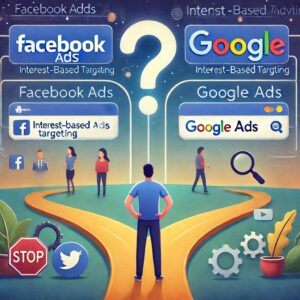 introducing new offers, or engaging people who may not yet know they need what you’re offering. You can also use Facebook’s Custom Audiences to retarget users who’ve previously visited your website, interacted with your content, or abandoned their cart, giving you a second chance to convert them. Additionally, Facebook Ads are excellent for community building through likes, comments, and shares.
- Use both if your budget allows. Many successful campaigns integrate both platforms for omnichannel reach.
Use both platforms if your budget allows, as combining Google Ads and Facebook Ads can create an omnichannel strategy for maximum impact. Many successful marketers integrate both to cover the full customer journey — using Facebook to generate interest and awareness, and Google to capture purchase intent when users are ready to buy. For example, someone might first discover your brand through a Facebook video ad, and then later search for your product on Google, where a search ad brings them back to convert. Using both platforms helps you stay visible at every stage of the funnel, improving reach, brand recognition, and overall conversion rates.
Ultimately, the key to paid advertising success is not the platform, but your ability to deliver the right message to the right people at the right time.
Conclusion: Let Appledew UK Help You Succeed
Whether you’re new to digital advertising or looking to optimize existing campaigns, the experts at Appledew UK can help you craft and manage high-performance Google Ads and Facebook Ads campaigns. From strategic planning to creative design, budget optimization, and reporting—we’ve got you covered.
➡️ Ready to take your business to the next level? Contact us today for a free consultation!
AI Implementation Prompt:
Using the blog post content on “Paid Advertising” from Appledew UK, create a detailed, step-by-step digital advertising plan for a UK business. Include strategies for both Google Ads and Facebook/Instagram Ads.
- Recommend the best ad platform(s) based on audience intent.
- Define ideal audience targeting (location, age, gender, interests, behaviors, custom/lookalike audiences, negative keywords).
- Suggest ad types and creatives (search, display, shopping, video, carousel, collection, lead forms, app ads) with example copy.
- Provide budgeting and bidding guidance (CPC, CPM, CPA, scaling strategies).
- Explain tracking setup (CTR, CPC, CPA, ROAS, conversion rate, impressions, reach) using UTM parameters, Google Analytics, and Facebook Pixel.
- Give an optimization plan (A/B testing, performance review, landing page optimization).
- Highlight common mistakes to avoid.
- Include optional enhancements (automation tools, retargeting, omnichannel integration).
- Deliverables should be structured as a checklist, table, or step-by-step plan with examples.
Output should be clear, actionable, and optimized for UK businesses following Google search quality guidelines.