
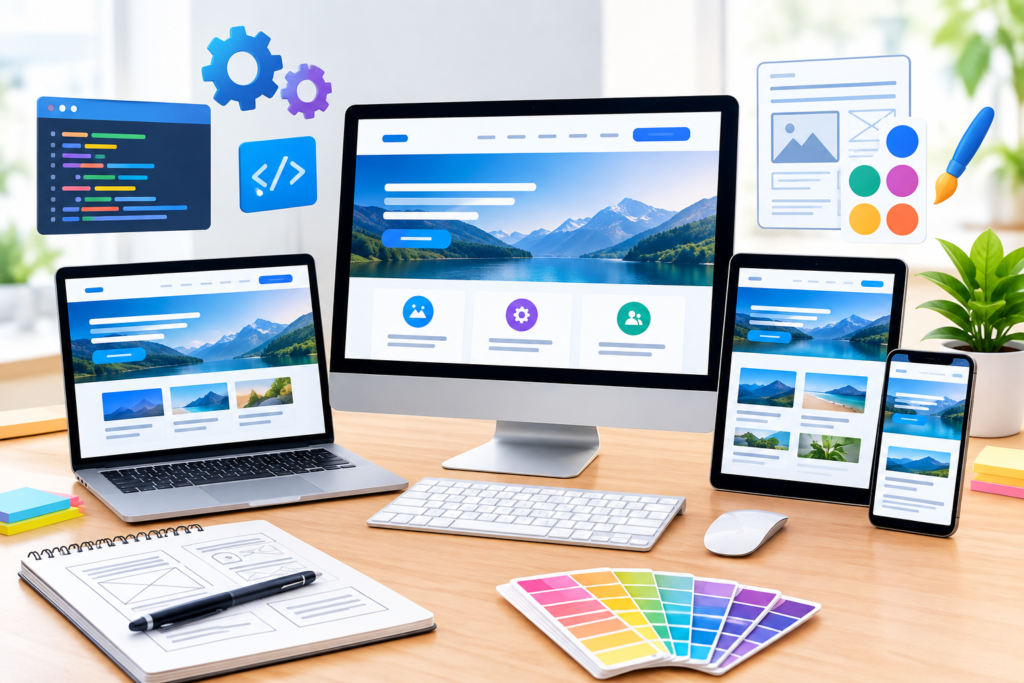
Discover how Website Design and Development combines strategy, UX, responsive design, SEO, security, accessibility, performance, and conversion principles to create a high-performing website.
Introduction
A modern website is more than an online brochure. It is often the first place where potential customers discover a business, evaluate its credibility, understand its products or services, and decide whether to take the next step. Effective Website Design and Development combines visual design, user experience, content strategy, technical architecture, search optimisation, accessibility, security, performance, and conversion planning into one connected digital experience. A visually impressive website can attract attention, but it must also communicate clearly, function reliably, load efficiently, and help visitors accomplish their goals.
Successful website projects begin with strategy rather than decoration. Before choosing colours, layouts, animations, plugins, frameworks, or templates, businesses should understand their audience, objectives, competitors, content requirements, technical needs, and desired outcomes. The most useful websites answer important questions quickly: What does this business provide? Who is it for? Why does it matter? Why should visitors trust it? What should they do next? When these answers are clear, design and development decisions become much easier to make.
At Appledew UK, Website Design and Development can be approached as a long-term digital investment rather than a one-time design exercise. A strong website should be able to evolve as the business grows, new content is published, customer expectations change, and technology develops. It should also follow established guidance around search visibility, accessibility, security, mobile usability, and performance. Google’s Google Search Essentials recommends creating helpful, reliable, people-first content and making websites accessible to search systems through sound technical practices.
Understanding the Role of Website Design and Development
Website design and website development are closely related disciplines, but they solve different parts of the same problem. Website design focuses on how the website looks, communicates, and behaves from the visitor’s perspective. This includes visual hierarchy, typography, colours, imagery, page layouts, navigation, buttons, forms, spacing, interaction patterns, and responsive behaviour. Website development transforms those concepts into functional digital experiences using technologies such as HTML, CSS, JavaScript, databases, APIs, server-side systems, content management systems, and hosting infrastructure. A successful project brings these disciplines together rather than treating them as isolated stages.
The distinction becomes important when evaluating the quality of a website. A beautifully designed interface can still fail if the navigation is confusing, the forms do not work, pages load slowly, or content cannot be maintained easily. Similarly, technically advanced development does not automatically produce a useful website if the interface is difficult to understand. Good development should support the design objectives, while good design should respect technical realities. Every technology choice should therefore have a purpose. Adding complex animations, third-party tools, or advanced functionality simply because they are available can increase maintenance requirements without creating meaningful value for visitors.
A stronger approach is to consider the website a long-term business asset. Its architecture should allow the organisation to publish new content, introduce services, connect external platforms, analyse visitor behaviour, improve search visibility, strengthen security, and adapt to changing requirements. Reusable components, clear content structures, sensible URLs, scalable hosting, documented systems, and maintainable code can make future improvements considerably easier. The ultimate goal is not merely to launch a website that looks good on day one, but to build a digital platform that continues to perform as business requirements evolve.
Defining Goals, Audiences, and Business Requirements
The planning stage establishes what the website is expected to accomplish. Different businesses require different outcomes. One organisation may need more enquiries, another may need online sales, while another may focus on bookings, subscriptions, registrations, applications, or content consumption. These objectives influence the website structure from the beginning. A lead-generation website may require strong service pages, case studies, trust signals, enquiry forms, and prominent calls to action. An ecommerce website requires product discovery, category structures, filtering, cart functionality, checkout processes, payment integration, and customer account considerations.
Audience research should be performed alongside business planning. Rather than designing for an imaginary “average visitor,” identify the different people who may use the website and understand what they need. Consider their motivations, concerns, knowledge levels, questions, device preferences, decision-making stages, and likely entry points. Someone who reaches a website after searching for a specific service may need detailed information immediately, while someone arriving through a brand search may already understand the organisation and simply want contact information. Different journeys require different forms of content and navigation.
A practical requirements document can transform this research into clear project specifications. It can define business objectives, primary and secondary conversions, required pages, content responsibilities, integrations, analytics requirements, accessibility expectations, performance goals, security requirements, SEO considerations, and launch dependencies. It should also distinguish essential features from optional enhancements. This distinction helps control scope and prevents projects from becoming overloaded with functionality that does not contribute meaningfully to the original objectives. Clear requirements also give designers, developers, writers, marketers, and stakeholders a common reference point for decision-making.
Creating a Strong Website Information Architecture
Information architecture determines how website information is organised and how users move from one piece of content to another. It includes navigation, page hierarchy, categories, URL structures, breadcrumbs, internal links, search functionality, and relationships between different types of content. A strong architecture allows visitors to understand where they are, what information is available, and where they should go next. It also gives search engines clearer signals about relationships between pages. Google’s Google Search Essentials specifically recommends making links crawlable so search systems can discover other pages on a website.
Website navigation should be based on the language and expectations of visitors rather than the internal structure of the organisation. A company might internally divide services according to departments, but customers may think about the problems they need solved. Navigation labels should therefore be descriptive and familiar. Important pages should not be hidden behind unnecessarily complicated menus. A visitor should be able to understand the primary purpose of each navigation option without having to interpret clever or ambiguous terminology.
Internal linking strengthens information architecture further. Related pages should connect naturally when those relationships help visitors explore a subject. For example, a website design service page could link naturally to information about responsive design, website performance, accessibility, or SEO. An educational article could point readers toward a relevant service page when the connection is genuinely useful. Google’s guidance also notes that words used in prominent locations such as titles, headings, alt text, and link text can help communicate what content is about. The important principle is to use descriptive anchor text naturally rather than repeating keywords mechanically.
Designing User-Centred UX and Conversion Paths
User experience, commonly referred to as UX, describes how effectively people can understand and interact with a website. It includes navigation, readability, page hierarchy, interaction design, forms, feedback, error handling, accessibility, and the overall journey through the website. A user-centred process considers these factors before the final visual design is produced. Wireframes and prototypes can reveal confusing navigation, weak content hierarchy, unnecessary fields, unclear buttons, or missing information before those issues become expensive development problems.
Conversion design should also be part of UX planning. A conversion is not necessarily a purchase. Depending on the business model, it might mean submitting an enquiry, requesting a quotation, booking a consultation, making a purchase, registering for an event, downloading a resource, subscribing to an email list, or making a telephone call. Each important page should have a logical next action. The call to action should also communicate what visitors can expect after clicking. A descriptive action such as “Request a Website Consultation” may provide more context than a generic button when that accurately represents the next step.
Trust is another major component of user experience. Visitors often need evidence before taking action. Clear contact details, transparent information, genuine testimonials, case studies, policies, author information, company details, secure forms, and straightforward explanations can reduce uncertainty. Claims should be supported by evidence rather than exaggerated promises. A trustworthy website respects the user’s ability to make decisions. Instead of relying on aggressive pop-ups or manipulative interface patterns, it provides useful information and makes the desired action clear without creating unnecessary pressure.
Building Responsive and Mobile-First Experiences
Responsive design enables a website to adapt to different screen sizes and devices. Modern visitors may use desktop monitors, laptops, tablets, smartphones, foldable devices, or other connected screens. A responsive website does not simply shrink a desktop layout to fit a smaller display. Its navigation, typography, images, spacing, content hierarchy, forms, buttons, tables, and interactive components may all need to adapt. Google’s page experience guidance includes mobile usability, secure delivery, Core Web Vitals, and other aspects of overall user experience.
A mobile-first approach encourages teams to identify the information and functionality that matter most. Smaller screens expose unnecessary complexity very quickly. Navigation needs to remain understandable, buttons need comfortable touch areas, headings need to remain readable, and forms should avoid unnecessary fields. Images should also adapt to different displays so users are not forced to download oversized desktop assets. The official Responsive Design learning resources from web.dev explain how responsive experiences can adapt layouts, media, typography, accessibility considerations, and user preferences across different devices.
Responsive websites should be tested across realistic devices and conditions rather than only on a developer’s desktop monitor. Test navigation menus, forms, buttons, tables, embedded media, sliders, sticky elements, pop-ups, and third-party components at different widths. Check both portrait and landscape orientations where appropriate. Pay attention to content that becomes difficult to read, controls that become difficult to operate, or layouts that create horizontal scrolling. Responsive development is complete only when the website remains practical across the range of devices and interaction conditions relevant to its audience.
Developing a Visually Consistent UI and Design System
A professional website needs a consistent visual language. A design system defines reusable rules for typography, colours, spacing, buttons, forms, cards, navigation, icons, notifications, tables, and other interface components. Instead of creating every page independently, designers and developers can work from shared patterns. This makes the website easier to maintain and reduces inconsistencies. If the design of a button needs to change, for example, a reusable component can make the update significantly easier than manually editing dozens of individual pages.
Typography is especially important because it influences both brand perception and usability. Headings should establish a clear hierarchy, while body copy should remain comfortable to read across different screens. Font selection should also account for loading performance and fallback behaviour. Colour should communicate hierarchy and meaning without becoming the only method of conveying information. Interactive elements should have deliberate hover, focus, active, disabled, and error states. These states are part of the interface and should be designed intentionally rather than treated as afterthoughts.
Consistency does not mean every section must look identical. A strong design system provides common rules while allowing appropriate visual variation. A homepage hero can have a distinctive appearance while still using the same spacing, typography, button, and colour principles as an article page. Product cards can differ from testimonial sections while maintaining a coherent visual identity. Component-based thinking also improves development efficiency because future pages can be assembled from tested patterns rather than recreated from scratch.
Integrating SEO Into the Development Process

Search engine optimisation should be considered during website planning, not added after development is complete. Technical architecture, URL structures, page templates, headings, internal links, metadata, structured data, image handling, rendering, redirects, and crawlability can all influence how search systems understand a website. Google’s Google Search Essentials provides guidance covering technical requirements, spam policies, and key practices for creating content that can perform appropriately in Google Search.
On-page SEO should primarily serve the visitor. Important pages need a clear subject, useful content, descriptive titles, logical heading structures, meaningful URLs, relevant internal links, and appropriate metadata. A primary keyword can help communicate the subject, but repeating it unnaturally does not improve the quality of the page. Secondary keywords and related terminology should appear when they genuinely help explain the topic. Search intent is equally important because an informational visitor and a visitor ready to purchase a service may need different content, evidence, and calls to action.
Technical SEO must also account for future website changes. Redesigns can unintentionally remove valuable URLs, alter page structures, break internal links, or create duplicate versions of content. Before migration, existing important pages should be identified and mapped to their new destinations. Appropriate redirects should be planned where URLs change, while internal links, canonical signals, indexing directives, XML sitemaps, and structured data should be reviewed. Google’s structured data documentation explains that structured data provides explicit clues about the meaning and classification of page content and can support eligible search features.
Improving Website Performance and Core Web Vitals
Website performance influences how quickly visitors can access information and interact with a page. Large images, excessive JavaScript, inefficient CSS, slow server responses, unnecessary third-party scripts, poor caching, and oversized media can all introduce delays. Performance should therefore be considered throughout development rather than treated as a final optimisation task. The official Learn Performance resources from web.dev cover subjects including HTML delivery, resource loading, rendering, JavaScript, images, caching, and other performance fundamentals.
Core Web Vitals provide useful user-focused measurements for important aspects of website experience. Development teams should monitor the metrics relevant to current guidance and use real-world data where possible instead of assuming that a website is fast because it performs well on a powerful development machine. Practical optimisation can include correctly sizing images, using suitable image formats, lazy-loading non-critical resources, reducing unnecessary JavaScript, improving caching, reducing layout shifts, and prioritising resources required for the initial experience. Google’s page experience documentation explains that Core Web Vitals are part of Google’s page-experience considerations, while also emphasising that good scores alone do not guarantee top search rankings.
Performance optimisation should not mean removing every interactive feature. The objective is to identify which functionality genuinely helps users and implement it efficiently. Third-party services deserve particular attention because analytics systems, chat tools, advertising scripts, social embeds, consent platforms, and other integrations can introduce additional network requests and JavaScript execution. Each dependency should have a clear purpose and be reviewed periodically. The web performance guidance from web.dev emphasises measuring, optimising, and monitoring websites rather than treating speed as a one-time task.
Strengthening Website Security and Protecting User Data
Website security should be considered a core development requirement rather than an optional technical upgrade. A website can process contact information, customer accounts, payment details, authentication credentials, business data, or other sensitive information depending on its purpose. Even websites that do not collect highly sensitive data can be targeted through vulnerable plugins, outdated software, weak passwords, insecure configurations, or compromised third-party services. Security therefore needs to be incorporated into the architecture, development workflow, hosting environment, and ongoing maintenance process.
Using HTTPS is one of the basic requirements for a trustworthy modern website. HTTPS encrypts communication between the visitor’s browser and the website, helping protect information while it travels across the network. Developers should obtain and correctly configure a valid TLS certificate, redirect insecure HTTP requests where appropriate, and monitor certificate renewal. Google’s HTTPS documentation explains that securing websites with HTTPS is an important part of creating a safer web and that Google uses HTTPS as a lightweight ranking signal. (developers.google.com) Security should also extend beyond the connection itself to authentication, authorisation, input validation, session management, and server configuration.
Ongoing maintenance is equally important. Content management systems, themes, frameworks, plugins, libraries, server software, and third-party integrations can receive security updates over time. A responsible maintenance process should include regular updates, backups, access reviews, vulnerability monitoring, secure administrator accounts, appropriate permissions, and recovery procedures. Development teams should also avoid storing unnecessary sensitive information and should follow established secure-development principles. The OWASP Top 10 is a widely used resource for understanding common categories of web application security risks. (owasp.org) Security is strongest when it is treated as an ongoing operational responsibility rather than something checked only before launch.
Making Websites Accessible and Inclusive
Accessibility ensures that websites can be used by people with a wide range of abilities, devices, and interaction methods. A website may be visually attractive and technically functional while still creating barriers for visitors who use screen readers, keyboard navigation, magnification, alternative input devices, captions, or other assistive technologies. Inclusive design considers these requirements throughout the project rather than attempting to repair accessibility problems after development is complete.
Important accessibility considerations include meaningful heading structures, descriptive link text, alternative text for informative images, sufficient colour contrast, visible keyboard focus, properly labelled form controls, useful error messages, logical tab order, accessible menus, readable typography, and compatibility with assistive technologies. Decorative images should not create unnecessary noise for screen-reader users, while meaningful images should have appropriate descriptions. Forms should clearly identify fields and communicate errors in ways that users can understand and correct.
The Web Content Accessibility Guidelines, commonly known as WCAG, provide an internationally recognised framework for improving web accessibility. The WCAG 2.2 guidelines describe testable success criteria organised around principles including perceivability, operability, understandability, and robustness. (w3.org) Accessibility should be considered alongside design, content, development, and quality assurance. Testing with automated tools can identify some problems, but manual keyboard testing and practical review are also important because automated checks cannot detect every usability barrier.
Creating Helpful Content and Demonstrating E-E-A-T
A website’s technical quality cannot compensate for poor content. Visitors need information that is accurate, useful, understandable, and appropriate to their situation. Service pages should explain what is offered, who it is for, how the process works, what outcomes may reasonably be expected, and what distinguishes the service. Product pages should provide sufficient information for informed purchasing decisions. Educational content should answer genuine questions instead of expanding articles merely to reach an arbitrary word count.
Google’s quality guidance places substantial emphasis on content that demonstrates Experience, Expertise, Authoritativeness, and Trustworthiness, commonly abbreviated as E-E-A-T. These concepts are particularly useful when creating content that people may rely on for important decisions. A website can strengthen trust by clearly identifying authors where appropriate, providing relevant credentials or experience, explaining methodologies, referencing reliable sources, maintaining accurate information, and making contact and business information easy to find. The Google Search Quality Rater Guidelines provide additional context around how Google evaluates the quality of search results and content. (developers.google.com)
Original experience can make content more valuable. Instead of producing generic descriptions that could apply to any company, explain processes, lessons, practical considerations, examples, limitations, and real-world observations where appropriate. Avoid unsupported superlatives and promises. If statistics, technical claims, regulations, research, or industry findings are referenced, use authoritative sources and ensure the information remains current. Content should also be reviewed periodically because outdated service descriptions, broken links, obsolete screenshots, expired offers, and inaccurate technical information can gradually reduce trust.
Choosing the Right Technology, CMS, and Development Approach
The technology behind a website should be selected according to requirements rather than popularity alone. A small business website may benefit from a mature content management system that makes publishing straightforward, while a complex application may require a custom architecture, specialised backend services, APIs, databases, and authentication systems. The correct solution depends on factors such as content volume, expected traffic, integrations, functionality, team capabilities, budget, security requirements, maintenance expectations, and future growth.
A content management system, or CMS, can make ongoing publishing easier by allowing authorised users to create and update pages without editing source code directly. However, adding excessive plugins or extensions can introduce maintenance, security, compatibility, and performance considerations. A custom-built website can provide greater control but may require more development expertise and ongoing technical support. The right decision is therefore not simply “CMS versus custom development”; it is about matching architecture to actual business needs.
Development teams should also think about maintainability. Clean code, reusable components, meaningful naming conventions, documentation, version control, testing procedures, and staging environments can significantly reduce future problems. Modern development workflows can also separate content from presentation where appropriate, making it easier to reuse information across websites, applications, or other digital channels. The architecture should avoid unnecessary complexity while leaving enough flexibility for future requirements. A technically elegant system is valuable only when it remains understandable, secure, maintainable, and appropriate for the organisation that will operate it.
Testing, Quality Assurance, and Website Launch
A website should not move directly from development to public launch without structured testing. Quality assurance helps identify problems involving functionality, content, layout, responsiveness, accessibility, performance, security, analytics, and search visibility. Testing should begin before the final launch window so there is enough time to investigate and resolve defects. A staged process also reduces the risk of discovering critical issues when the website is already receiving live visitors.
Functional testing should cover navigation, forms, buttons, search, account functionality, ecommerce processes, payment integrations, filters, downloads, media, notifications, and third-party connections where relevant. Responsive testing should examine different viewport sizes and interaction methods. Content reviews should check spelling, grammar, headings, metadata, images, links, contact details, pricing, legal information, and calls to action. Technical checks should examine redirects, canonical URLs, indexing directives, XML sitemaps, structured data, robots.txt, analytics tracking, and HTTPS configuration.
Launch should be treated as a controlled migration rather than simply pressing a publish button. Before release, create reliable backups and document important technical settings. If an existing website is being replaced, map important old URLs to appropriate new destinations. Monitor server logs, analytics, search performance, error reports, forms, and critical conversion paths immediately after launch. Google’s Search Console can help website owners monitor search performance, indexing-related information, and other Search data. (search.google.com) A successful launch is not the end of quality assurance; it is the beginning of the monitoring phase.
Measuring Performance, Conversions, and Long-Term Growth
Once a website launches, measurement helps determine whether it is accomplishing its business objectives. Website analytics can reveal where visitors come from, which pages they view, how they navigate, where they leave, and which actions they complete. However, collecting large quantities of data is not the same as having a useful measurement strategy. Businesses should first identify the metrics that correspond to meaningful outcomes.
Useful website measurements can include traffic sources, engaged sessions, landing-page performance, form submissions, purchases, bookings, downloads, newsletter registrations, conversion rates, and revenue where applicable. Search-focused businesses may also monitor impressions, clicks, click-through rates, search queries, and indexed pages. Google provides Google Analytics as a platform for collecting and analysing digital measurement data. (marketingplatform.google.com) Search Console can complement analytics by providing information about how a website appears and performs in Google Search.
Data should be used to identify opportunities rather than to justify assumptions. If a service page receives significant traffic but few enquiries, investigate whether the content answers visitor questions, whether the call to action is clear, whether trust signals are adequate, and whether the enquiry process introduces unnecessary friction. If visitors repeatedly abandon a form at a particular stage, test whether that stage can be simplified. If organic impressions increase but qualified enquiries do not, examine search intent and landing-page relevance. Continuous improvement should be evidence-led and should prioritise changes that can meaningfully improve user experience or business outcomes.
Maintaining and Evolving a Website After Launch
A website should be treated as an evolving product rather than a finished object. Technology changes, browsers are updated, security vulnerabilities are discovered, customer expectations shift, search systems evolve, and businesses introduce new services or products. Without maintenance, even a high-quality website can gradually become outdated. A maintenance programme should therefore cover technical updates, backups, security, performance, content accuracy, broken links, accessibility, analytics, and infrastructure.
Content maintenance is particularly important for websites that depend on organic search visibility. Review important pages periodically to confirm that facts, statistics, service descriptions, prices, screenshots, links, author information, and calls to action remain accurate. Remove or update obsolete material where necessary. Rather than publishing large amounts of low-value content simply to create activity, focus on maintaining pages that genuinely help the intended audience. Google’s guidance around creating helpful content emphasises producing original, useful content created primarily to benefit people rather than content designed mainly to manipulate search rankings. (developers.google.com)
Continuous improvement should also be prioritised strategically. Not every possible change deserves development time. Review analytics, customer feedback, support questions, search data, accessibility findings, performance measurements, and business priorities before deciding what to improve. High-impact issues should generally receive attention before cosmetic refinements. Over time, this approach can transform the website from a static online presence into an increasingly effective digital platform that adapts to real user needs and measurable business requirements.
Common Mistakes to Avoid in Website Design and Development
One common mistake is starting with visual design before defining the website’s purpose. Teams may spend significant time selecting colours, fonts, imagery, and animations without establishing what the website needs to accomplish. This can result in attractive pages that lack clear conversion paths or fail to address important customer questions. A better approach is to define business goals, audiences, content requirements, information architecture, and technical requirements before committing to the final interface.
Another frequent mistake is treating mobile responsiveness as an afterthought. A website may appear excellent on a desktop monitor while menus, forms, tables, buttons, and images become difficult to use on smaller screens. Responsive behaviour should be designed and tested from the beginning. The same principle applies to accessibility. Waiting until the end of development to check keyboard navigation, form labels, contrast, focus states, and screen-reader compatibility can make remediation much more expensive.
Performance problems are also frequently introduced by unnecessary features. Large images, excessive animations, multiple tracking systems, third-party widgets, poorly configured plugins, and unnecessary JavaScript can gradually make pages slower. Every feature should have a purpose, and its technical cost should be considered. Similarly, SEO should not be reduced to inserting keywords into page copy. Technical crawlability, useful content, internal links, page structure, search intent, metadata, redirects, and overall website quality all contribute to a sustainable search strategy.
Security and maintenance are often neglected after launch. Businesses sometimes assume that a website remains secure simply because it was secure when it was built. Software vulnerabilities, expired certificates, outdated plugins, compromised credentials, and third-party changes can introduce new risks. Regular updates, backups, monitoring, access control, and recovery procedures are therefore essential.
Finally, businesses can make the mistake of measuring success through traffic alone. More visitors do not automatically mean better results. A website should be evaluated according to relevant outcomes such as qualified enquiries, purchases, bookings, registrations, engagement, customer satisfaction, and other meaningful objectives. The correct measurements depend on the business model.
Best Practices Summary

A strong website project starts with clearly defined objectives and audience needs. Establish what the website must accomplish before deciding how it should look. Build the information architecture around the questions and tasks users actually have, and make navigation straightforward enough that visitors can understand it without explanation.
Use responsive design, accessible interface patterns, descriptive content, logical headings, meaningful links, and clear conversion paths. Integrate SEO into the architecture and development process rather than attempting to repair technical issues after launch. Use authoritative resources such as Google Search Essentials, WCAG 2.2, and established security guidance when making technical decisions. (developers.google.com)
Prioritise performance by optimising images, reducing unnecessary scripts, controlling third-party dependencies, improving caching, and monitoring Core Web Vitals. Protect the website through HTTPS, secure authentication, software updates, backups, appropriate access controls, and ongoing monitoring. Build content around genuine user needs and demonstrate expertise and trust through accurate information, transparent claims, original insights, and credible references.
Finally, remember that launch is the beginning rather than the conclusion. Monitor performance, conversions, search visibility, accessibility, security, and user feedback. Use evidence to prioritise improvements and keep important content current. A successful website is one that remains useful, secure, accessible, maintainable, and aligned with its business purpose over time.
Frequently Asked Questions
1. What is the difference between website design and website development?
Website design focuses primarily on the visual and user-experience aspects of a website, including layouts, typography, navigation, colours, content hierarchy, interactions, and responsive behaviour. Website development involves implementing those designs through technologies such as HTML, CSS, JavaScript, databases, APIs, servers, and content management systems. Although they represent different areas of work, they should be planned together because design decisions can affect technical performance and development capabilities can influence the final user experience.
2. How long does it take to build a professional website?
The timeframe depends on the size and complexity of the project. A relatively small brochure-style website may require considerably less development than a large ecommerce platform, membership system, or custom web application. The number of pages, content requirements, integrations, design complexity, approval processes, functionality, migration requirements, and testing needs can all affect the schedule. A reliable project plan should therefore be based on defined requirements rather than an arbitrary number of days.
3. Is responsive design really necessary?
Yes. Visitors access websites through a wide range of screen sizes and devices. A website that works only on desktop computers can create serious usability problems for mobile visitors. Responsive design allows layouts, typography, navigation, images, and interactive elements to adapt to different environments. It also supports a better overall user experience and aligns with Google’s mobile-oriented approach to modern websites.
4. How does website design affect SEO?
Website design can affect SEO through navigation, information architecture, content hierarchy, mobile usability, page speed, internal linking, accessibility, and how easily users and search systems can understand the content. Poor design can hide important information, create confusing navigation, slow down pages, or make content difficult to access. Good design supports clear information structures while allowing technical SEO requirements to be implemented effectively.
5. What makes a website trustworthy?
Trust can come from multiple factors, including accurate information, transparent business details, clear contact methods, genuine reviews or testimonials, relevant case studies, author information, secure connections, privacy information, professional presentation, and consistent communication. Trust should be earned through evidence and transparency rather than exaggerated claims. The more important the visitor’s decision, the more valuable clear supporting information becomes.
6. How important is website speed?
Website speed is important because delays can affect usability, engagement, and the ability of visitors to complete tasks. Performance can be influenced by hosting, server response times, images, JavaScript, CSS, third-party services, caching, and page architecture. Measuring real-world performance and continuously addressing bottlenecks is more effective than assuming that a website is fast based only on a local development environment.
7. Should SEO be done before or after website development?
SEO should be considered before and throughout development. Planning SEO early allows teams to establish logical URLs, page structures, internal linking, metadata requirements, content templates, redirects, technical architecture, structured data, and indexing considerations. SEO can still be improved after launch, but discovering fundamental architectural problems late in a project can require considerably more work.
8. How often should a website be updated?
There is no universal update schedule because maintenance requirements vary. Security updates may need attention as soon as they become available, while content reviews may occur monthly, quarterly, or according to the importance of each page. Performance, accessibility, analytics, links, integrations, backups, and technical systems should also be monitored regularly. The most important principle is to maintain the website continuously rather than waiting until problems become serious.
Conclusion
Effective Website Design and Development combines strategy, design, technology, content, usability, accessibility, SEO, security, performance, measurement, and continuous improvement. The strongest websites are not created by focusing on appearance alone. They are built around real user needs and clear business objectives, supported by reliable technology and maintained through ongoing measurement and optimisation.
From information architecture and responsive UX to technical SEO, accessibility, security, Core Web Vitals, analytics, and content quality, every component contributes to the overall experience. Following established guidance such as Google Search Essentials, WCAG 2.2, and recognised web security practices can help teams make more informed technical and strategic decisions. (developers.google.com)
The most valuable website is ultimately one that remains useful after launch. It should help people find information, understand an offer, trust the organisation, complete important tasks, and take appropriate next steps. By combining thoughtful planning with strong design, clean development, rigorous testing, and continuous improvement, businesses can create websites that provide lasting value rather than simply looking impressive on launch day.
Want to Implement This Easily?
Prompt Text:
You are an expert consultant. Based on the blog post titled “(Website Design and Development)”, provide a step-by-step, practical implementation guide. Include tools, best practices, common mistakes to avoid, and advanced tips. Assume the reader wants to implement everything discussed in this article effectively.
Call to Action: Want our help implementing this? Just reach out to us via our website contact form: https://appledew.co.uk/contact-us/