
Website design and development combines UX, responsive design, SEO, performance, accessibility, security, and conversion strategy to create a website that attracts visitors, builds trust, and supports long-term business growth.
Introduction
A website is no longer simply an online brochure. It is often the first place where potential customers evaluate a business, understand its services, compare alternatives, assess credibility, and decide whether to take the next step. That makes website design and development a strategic business function rather than a purely visual or technical exercise.
A successful website must balance several disciplines at once. The design needs to communicate a clear brand identity. The structure needs to make information easy to find. The development needs to create a stable and maintainable technical foundation. The content needs to satisfy user intent. Search optimization needs to help search engines understand the website. Performance needs to prevent unnecessary friction. Accessibility needs to make the experience usable by a broader audience. Security needs to protect both visitors and business data.
For businesses evaluating their online presence, this distinction is critical. A visually impressive website can still perform poorly if visitors cannot understand what the company offers, pages take too long to load, navigation is confusing, forms fail, content is difficult to read, or important pages cannot be properly discovered by search engines.
This is why Appledew UK approaches website design and development as a broader digital growth process. A strong website should connect business objectives with user needs and technical execution rather than treating design, development, SEO, and conversion optimization as isolated activities.
Google’s own guidance emphasizes that websites should be useful to people while also making content understandable and accessible to search systems. Its SEO Starter Guide explains that SEO helps search engines understand content and helps users discover and evaluate pages.
The goal, therefore, is not to create a website merely because every business is expected to have one. The goal is to build a high-performing digital asset that can communicate value, generate qualified enquiries, support marketing campaigns, establish authority, and evolve as the organization grows.
What Website Design and Development Really Means
Website design and development are closely connected but represent different areas of expertise. Web design focuses primarily on the experience and presentation of the website: page layouts, typography, colour systems, navigation, visual hierarchy, user journeys, interaction patterns, imagery, calls to action, and responsive interfaces. Web development transforms those designs into functional digital experiences through technologies such as HTML, CSS, JavaScript, databases, content management systems, APIs, server infrastructure, and other software components.
Treating the two disciplines separately can create problems. A designer may create an attractive interface that is difficult to build efficiently. A developer may produce technically sound functionality that does not provide a persuasive user experience. The strongest projects bring both perspectives together from the beginning. The design should understand technical limitations, while development should understand usability and conversion objectives.
A professional website therefore sits at the intersection of strategy, design, technology, content, SEO, performance, accessibility, and business objectives. Before deciding on colours or animations, teams should understand what the website needs to achieve. Is the primary goal lead generation? E-commerce? Appointment bookings? Brand awareness? Product education? Customer support? Membership management? Each objective affects information architecture, functionality, content, and calls to action.
The same principle applies to technical architecture. A small service business may benefit from a carefully configured content management system, while a complex organization may require custom development, integrations, authentication systems, or database-driven functionality. There is no universal technology stack that is automatically best for every website.
A useful starting point is Google’s guidance for developers, which recommends making websites secure, fast, accessible, and functional across devices, while also ensuring that search engines can understand and access the content.
Good website design and development is therefore not about adding the greatest number of features. It is about selecting the right combination of design decisions, functionality, infrastructure, and content for a clearly defined business purpose.
Building a Website Strategy Before Designing the First Page
One of the most common website mistakes is starting with visual design before establishing strategy. Teams often begin by choosing templates, colours, fonts, animations, and images without answering fundamental questions about users, business goals, competitive positioning, content requirements, and conversion objectives.
A stronger process begins with discovery. Identify the primary audience, their problems, their expectations, and the questions they need answered before becoming customers. Then identify what the organization wants visitors to do. These actions might include requesting a quotation, booking a consultation, purchasing a product, downloading a resource, subscribing to updates, or contacting a sales team.
Once these objectives are understood, they can be translated into measurable website goals. Instead of saying that a new website should “look professional,” define outcomes such as increasing qualified enquiries, improving engagement with important service pages, reducing form abandonment, increasing product discovery, or improving organic search visibility.
Competitor research is also valuable, but it should not result in copying competitor websites. Examine competing websites to understand market expectations, information gaps, positioning opportunities, content depth, pricing communication, trust signals, navigation patterns, and customer concerns. The purpose of competitive analysis is to discover opportunities to create something more useful and differentiated, not to reproduce someone else’s design.
A strategic website should also establish priorities. Not every page deserves equal emphasis. Core commercial pages, important informational resources, contact pathways, and high-value conversion routes should receive appropriate attention during planning.
This strategy-first approach supports both users and search engines. Google explains through its Google Search Essentials that technical requirements, spam policies, and key best practices form the foundation for eligibility in Google Search.
The important lesson is simple: design should solve a business and user problem before it attempts to impress visually.
Creating an Effective Information Architecture and User Journey
Information architecture determines how website content is organized, grouped, labelled, and connected. Visitors should be able to understand where they are, what the website offers, and where they can go next without having to think excessively about navigation.
A well-planned structure usually begins with a logical hierarchy. For a service-based business, this might include the homepage, individual service pages, industry or solution pages, about information, resources, FAQs, contact information, and supporting content. E-commerce websites require additional considerations such as product categories, product pages, filters, search, cart functionality, checkout, account areas, shipping information, returns, and customer support.
Navigation should reflect how users think rather than how an internal organization is structured. Businesses sometimes create navigation labels based on internal departments or terminology that customers do not understand. A customer-oriented website uses clear, descriptive labels that communicate what visitors will find after clicking.
User journeys are equally important. A visitor arriving on a blog article should have a logical route toward related educational content and relevant commercial information. Someone landing on a service page should quickly understand the problem being solved, the benefits, the process, evidence of credibility, frequently asked questions, and the next appropriate action.
Internal linking strengthens these journeys. Links should be placed where they genuinely help readers move to a related resource, service, or explanation. Google’s search documentation also emphasizes making content discoverable and helping search systems understand the relationships between pages.
A useful information architecture should also anticipate growth. Building a website around today’s five pages may create problems when the business eventually needs fifty pages. A scalable structure makes it easier to add new services, resources, categories, case studies, landing pages, and educational content without redesigning the entire website.
The objective is not simply to create a navigation menu. It is to create a predictable path through information that supports both user satisfaction and business outcomes.
Designing Responsive Websites for Every Device
Responsive design is essential because visitors access websites through a wide range of screen sizes, browsers, operating systems, and devices. A website that looks excellent on a desktop computer but becomes difficult to navigate on a smartphone creates an immediate usability problem.
Responsive design allows layouts to adapt to different viewport dimensions. Elements can resize, reposition, stack, or change spacing depending on available screen space. Images can scale appropriately, navigation can adapt to smaller screens, and interactive controls can remain usable without excessive zooming or horizontal scrolling.
However, responsive design is more than making a desktop layout shrink. Mobile users may interact differently from desktop users. Touch targets need adequate spacing. Forms should be easy to complete using a phone keyboard. Important information should remain visible without requiring unnecessary interaction. Buttons should be clearly identifiable. Text needs comfortable readability.
Google specifically recommends responsive design as a mobile-friendly implementation approach and uses the mobile version of website content for indexing under mobile-first indexing.
Responsive development should therefore begin during the design stage rather than being treated as a final testing step. Designers should consider how every major component behaves at different breakpoints. Developers should test real layouts instead of relying exclusively on browser resizing.
Testing should include multiple device widths, orientations, operating systems, browsers, and input methods. A website can technically “fit” a phone screen while still providing a poor mobile experience.
Performance also becomes particularly important on mobile connections. Heavy images, unnecessary JavaScript, excessive third-party scripts, and large fonts can create delays that are more noticeable on lower-powered devices or slower networks.
A modern website should therefore follow a mobile-first mindset: prioritize the essential experience, establish strong content hierarchy, and progressively enhance the interface for larger screens.
Designing User Experiences That Convert Visitors Into Customers
A website can receive substantial traffic and still generate disappointing results if its user experience does not guide visitors toward meaningful actions. Conversion-focused UX is about reducing uncertainty, communicating value, establishing trust, and making the next step obvious.
The first principle is clarity. Visitors should quickly understand what the business does, who it serves, and why the offer matters. A headline that sounds creative but does not explain the value proposition can create confusion. Supporting copy should answer important questions without forcing visitors to search across multiple pages.
The second principle is relevance. Different visitors arrive with different needs. A first-time visitor may require education, while a highly motivated prospect may want pricing, proof, or a consultation. Website architecture should support different stages of decision-making instead of forcing everyone through one identical path.
Trust is another fundamental part of conversion design. Relevant testimonials, case studies, client evidence, credentials, clear contact information, transparent policies, professional content, and recognizable trust signals can reduce perceived risk. These elements should be genuine and verifiable rather than exaggerated marketing claims.
Calls to action should also match visitor intent. “Buy Now” may be appropriate for a straightforward product, but a complex professional service may require actions such as “Request a Consultation,” “Discuss Your Project,” or “Get a Quote.” The wording should tell visitors what will happen next.
Forms deserve particular attention. Long forms can create unnecessary friction, but very short forms may fail to collect information required for meaningful follow-up. The correct balance depends on the value of the conversion and the business’s sales process.
UX testing should focus on actual behaviour. Observe where users hesitate, abandon forms, misunderstand labels, or fail to discover important information. Analytics can identify patterns, while usability testing can reveal the reasons behind them.
Effective conversion-focused web design therefore combines psychology, content, usability, visual hierarchy, trust, and measurement rather than relying on visual appearance alone.
Creating a Strong Visual Design System and Brand Experience
Visual design establishes the emotional and professional character of a website. Typography, colour, spacing, imagery, iconography, buttons, cards, navigation elements, and interaction states should work together as a consistent system rather than appearing as individually designed components.
A design system helps maintain this consistency. It can define primary and secondary colours, typography scales, spacing rules, button styles, form controls, card patterns, icon treatments, image ratios, border treatments, and responsive behaviour. This makes development more predictable and allows future pages to remain visually consistent.
Typography deserves special attention because it affects both readability and brand perception. Fonts should be selected according to readability, character, available weights, loading performance, and compatibility. Excessive font variations can increase complexity and performance costs without providing meaningful design benefits.
Colour should support hierarchy rather than decoration alone. Primary colours can identify important actions, while secondary colours can organize supporting information. Contrast needs to remain sufficient for readability. Decorative choices should never make important information difficult to access.
Imagery also needs strategic consideration. Stock photography that feels generic can weaken credibility, while original photography, product imagery, diagrams, illustrations, and screenshots can provide more relevant context. Images should support the surrounding content rather than simply occupying empty space.
Animation can enhance an experience when used carefully. Subtle transitions can communicate interaction and hierarchy, but excessive motion can distract visitors, increase performance costs, and make interfaces feel unnecessarily complicated.
The strongest visual systems are recognizable without becoming repetitive. A page should feel like part of the same website while still allowing different content types to communicate their individual purpose.
A professional design system ultimately creates consistency, scalability, usability, and brand recognition. It provides the visual framework within which content and functionality can perform effectively.
Developing SEO-Friendly Website Architecture
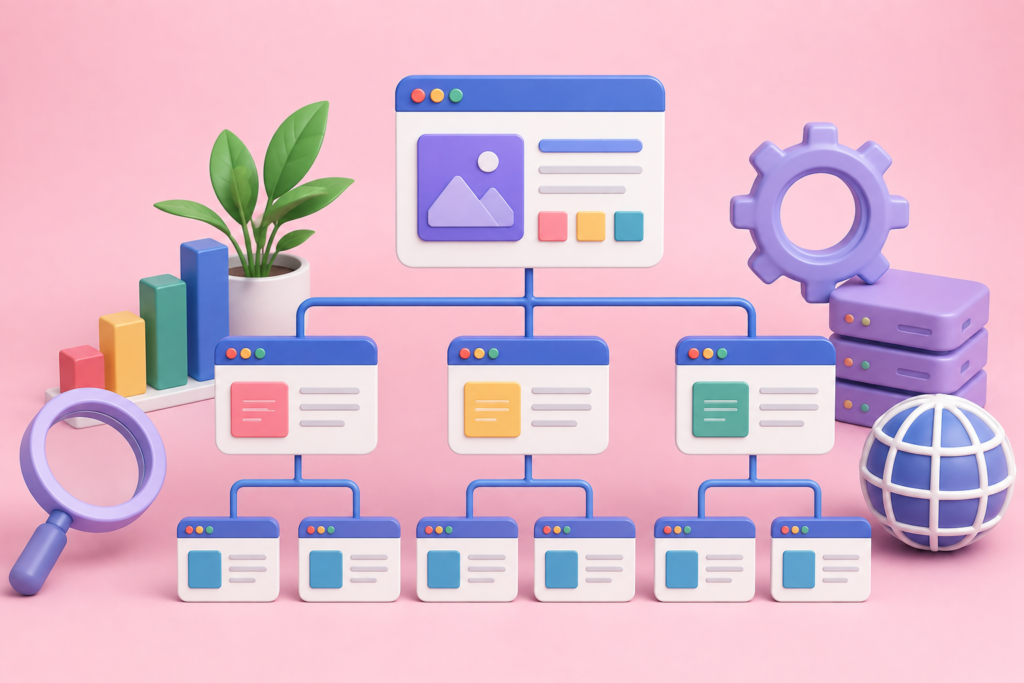
Search engine optimization should not be added after development is complete. Many of the decisions that affect search visibility are architectural decisions made during website planning and development.
Search-friendly architecture begins with crawlable pages, logical URLs, clear internal linking, descriptive page titles, useful headings, accessible content, appropriate metadata, and technically sound rendering. Important content should be available in a way that search engines can access and understand.
URL structures should be concise and descriptive. A visitor should have a reasonable idea of what a page contains by looking at its URL. Avoid unnecessarily complex parameters, meaningless strings, and structures that make important content difficult to discover.
Heading hierarchy also matters for usability and content organization. A page should have a logical structure in which headings communicate the subject and relationships between sections. Headings should not be used simply to insert keywords.
Internal links can distribute contextual relevance and help visitors discover related information. For example, an article explaining website performance could naturally connect to a relevant page about website development, while a service page could connect to supporting case studies or educational resources.
Structured data can also provide search engines with explicit information about page content. Google’s documentation explains that structured data uses a standardized format to help classify and describe information on a page, although correct implementation does not guarantee that enhanced search features will appear.
SEO-friendly development also requires attention to indexability. Robots directives, canonical URLs, status codes, sitemaps, redirects, JavaScript rendering, and duplicate content can all affect how search engines discover and interpret a website. Google’s crawling and indexing documentation provides detailed technical guidance in these areas.
The best approach is to make SEO part of the website’s technical foundation, not an afterthought added through a plugin or a collection of keywords.
Improving Website Performance and Core Web Vitals
Performance directly influences how users experience a website. Slow pages can create frustration, increase abandonment, reduce engagement, and weaken the effectiveness of marketing campaigns. Performance optimization should therefore be considered a core part of website development rather than a final polishing exercise.
Google’s Web Vitals initiative focuses on user-centric measurements, including Largest Contentful Paint (LCP) for loading performance, Interaction to Next Paint (INP) for responsiveness, and Cumulative Layout Shift (CLS) for visual stability. Current recommended “good” thresholds are LCP of 2.5 seconds or less, INP of 200 milliseconds or less, and CLS of 0.1 or less, measured at the 75th percentile.
Improving LCP often involves optimizing the main content visible when a page loads. Large hero images, slow server responses, render-blocking resources, inefficient fonts, and unnecessary scripts can delay meaningful content. Image compression, responsive image delivery, efficient caching, optimized critical resources, and faster hosting can help.
INP requires attention to JavaScript execution and interaction handling. A website may appear visually fast but still feel slow when users click buttons, open menus, submit forms, or interact with complex components. Reducing unnecessary JavaScript and avoiding long main-thread tasks can improve responsiveness.
CLS is frequently caused by content moving unexpectedly while a page loads. Images and embedded content should have reserved dimensions, while dynamically inserted elements should not unexpectedly push important content downward. Google’s guidance specifically identifies images without dimensions, embeds, dynamically injected content, and web fonts as common causes of layout instability.
Performance should be measured in both development and production. Laboratory testing helps identify problems before launch, while real-user data shows how actual visitors experience the website across different devices and networks.
The goal is not simply to achieve a perfect score in a testing tool. The goal is to create a website that feels fast, responds quickly, remains stable, and delivers important information efficiently.
Making Website Accessibility Part of the Development Process
Accessibility should be treated as a fundamental website requirement rather than an optional feature added after launch. An accessible website allows more people to understand, navigate, interact with, and complete tasks regardless of disabilities or different methods of accessing digital content.
Accessible design begins with fundamentals. Text should have adequate contrast. Interactive controls should be identifiable. Images that communicate information should have meaningful alternative text. Forms should have clear labels. Keyboard users should be able to navigate important functionality. Headings should provide logical structure. Links should communicate their destination.
Accessibility also involves interaction design. A menu that only works with a mouse may exclude keyboard users. A form error communicated only through colour may be difficult for someone with a visual impairment to understand. An automatically playing animation may create problems for users sensitive to motion.
The Web Content Accessibility Guidelines provide an internationally recognized framework for improving accessibility across websites and digital content. WCAG includes different levels of conformance and addresses areas such as perceivable, operable, understandable, and robust experiences.
Accessibility should be considered during wireframing, visual design, content creation, development, and testing. Retrofitting accessibility after a website is built can be considerably more difficult because fundamental components may already depend on inaccessible patterns.
Automated accessibility tools can identify many common issues, but they cannot identify every usability problem. Manual keyboard testing, screen-reader testing, zoom testing, colour/contrast checks, and testing with users who have different access needs provide valuable additional insight.
Accessibility also improves general usability. Clear labels help everyone. Strong contrast improves readability. Logical navigation benefits all visitors. Captions can help people watching videos without sound. Well-structured content is easier for both people and machines to understand.
A truly professional website therefore treats accessibility as part of quality assurance and inclusive user experience, not as a compliance checkbox.
Building Website Security Into the Technical Foundation
Security should be considered throughout the development lifecycle. A website can contain valuable customer information, administrative accounts, payment information, contact data, business content, integrations, and other assets that need protection.
Basic security begins with secure hosting, HTTPS, strong authentication, reliable software updates, access controls, backups, and careful configuration. Development teams should also validate user input, protect authentication systems, manage permissions appropriately, and avoid exposing sensitive information unnecessarily.
Third-party plugins and dependencies require particular attention. Adding functionality through external packages can introduce convenience but also expands the website’s dependency chain. Unmaintained or vulnerable components can create security risks. Teams should therefore evaluate whether each dependency is genuinely necessary and keep important components maintained.
The OWASP Top 10 is a widely recognized awareness resource for web application security. The current released version is the OWASP Top 10: 2025, which identifies major categories of application security risk and provides a useful starting point for secure development practices.
Security also requires operational planning. A website should have a backup strategy, recovery process, update schedule, administrator access policy, and monitoring approach. A backup that has never been tested is not a reliable recovery strategy.
Forms and integrations deserve special scrutiny. Contact forms, payment systems, CRM integrations, APIs, user accounts, and third-party services can all create additional attack surfaces.
Security should never be presented as a one-time activity. Threats change, software changes, dependencies change, and business requirements change.
The objective is to establish a defense-in-depth approach where multiple layers reduce the likelihood and impact of security failures.
Choosing the Right CMS, Technology Stack, and Development Approach
The technology behind a website should be selected according to requirements rather than trends. A content management system may be ideal for one organization, while a custom application may be appropriate for another.
A CMS can be valuable when non-technical users need to create, edit, organize, and publish content regularly. It can reduce development effort for standard content structures and provide access to established ecosystems of themes, plugins, integrations, and management tools.
However, a CMS should not automatically be treated as the solution to every problem. Large numbers of unnecessary plugins, poorly configured themes, duplicated functionality, or outdated components can create maintenance and performance problems.
Custom development provides greater control over functionality and architecture but usually requires more technical expertise. It may be justified when a project requires specialized workflows, complex integrations, unique user interfaces, advanced application logic, or highly specific performance requirements.
The same principle applies to frontend frameworks, backend languages, databases, APIs, hosting environments, and third-party services. Technology decisions should be evaluated against factors such as scalability, maintainability, security, performance, development expertise, budget, content requirements, and long-term ownership.
A practical website technology strategy should also consider who will maintain the system after launch. A technically sophisticated platform may become a liability if the business has no internal capability to manage it.
Documentation is therefore important. Development teams should document key integrations, administrative procedures, deployment processes, dependencies, backups, and configuration decisions.
The right stack is not necessarily the newest or most technically impressive one. It is the one that provides an appropriate balance of functionality, performance, security, maintainability, scalability, and business practicality.
Creating High-Quality Content That Supports SEO and Conversion
Design attracts attention, but content explains value. A website cannot build authority or generate meaningful conversions if its content is vague, repetitive, exaggerated, or disconnected from customer needs.
Strong website content starts with search and user intent. Before creating a page, identify what users need from that page. A service page should explain the service, its benefits, process, suitability, differentiators, and next steps. An educational article should genuinely answer the user’s question rather than using the question as an excuse to promote unrelated services.
Content should demonstrate experience and expertise through useful explanations, examples, practical considerations, evidence, original observations, and transparent claims. Where statistics, technical standards, or external facts are referenced, authoritative sources should be used.
Keyword research can help identify language users employ when searching, but keywords should not dictate every sentence. Google’s guidance emphasizes creating useful content for people rather than trying to manipulate search systems.
A strong content structure often includes an informative introduction, clear headings, concise explanations, relevant examples, supporting evidence, internal links, useful visuals, FAQs where appropriate, and a logical conclusion or next action.
Commercial pages should avoid making unsupported superlative claims such as “the best,” “number one,” or “guaranteed results” unless those claims can genuinely be substantiated. Trust is strengthened by specificity and transparency rather than exaggerated promises.
Content should also be maintained. Services change, screenshots become outdated, links break, technologies evolve, and customer questions develop over time. A website that was accurate several years ago may gradually lose usefulness if nobody reviews it.
The strongest content strategy treats each page as a useful resource with a clear purpose, rather than as a container for target keywords.
Testing, Launching, and Maintaining a Professional Website
Launching a website is a process, not a single button click. Before going live, teams should perform structured quality assurance across content, functionality, design, performance, SEO, accessibility, security, analytics, and integrations.
Functional testing should verify navigation, menus, buttons, forms, search, account functionality, e-commerce features, calculators, booking systems, APIs, and other interactive components. Every important user journey should be tested from beginning to end.
Content testing should identify spelling errors, broken links, missing images, incorrect contact information, inconsistent terminology, outdated claims, placeholder text, duplicate content, and formatting issues.
Technical SEO checks should include indexability, canonicalization, redirects, robots directives, XML sitemaps, metadata, structured data where relevant, internal linking, status codes, and rendering. Google’s documentation provides dedicated guidance for developers working with crawling, indexing, JavaScript, and search appearance.
Performance testing should be conducted before and after launch. Important templates should be checked for Core Web Vitals, especially pages containing large images, complex scripts, third-party integrations, or dynamic components.
Accessibility testing should cover keyboard navigation, focus states, headings, labels, alternative text, contrast, zoom behaviour, and interactive components. Security checks should verify authentication, permissions, software versions, backups, and production configuration.
After launch, monitoring should continue. Search Console can help identify search-related issues. Analytics can reveal user behaviour. Uptime monitoring can detect availability problems. Performance monitoring can identify regressions.
A maintenance schedule should cover software updates, backups, security reviews, content audits, broken-link checks, performance monitoring, accessibility improvements, and ongoing UX optimization.
A website should be treated as a living digital product, not a completed project that never needs attention again.
Common Website Design and Development Mistakes
One of the most common mistakes is designing around internal preferences instead of customer needs. A business may choose a layout because senior management likes it, even though visitors struggle to find important information. The solution is to combine stakeholder input with evidence from users, analytics, testing, and business objectives.
Another common mistake is prioritizing appearance over performance. Large background videos, oversized images, excessive animations, multiple web fonts, and unnecessary third-party scripts can create an attractive first impression while making the website slower and less usable.
Poor mobile implementation is another frequent problem. Buttons may be too small, text may become difficult to read, menus may be awkward, and forms may be frustrating to complete. Because Google uses mobile content for indexing under mobile-first indexing, mobile implementation also has search implications.
Businesses also sometimes launch without enough content. A beautiful homepage cannot compensate for weak service pages that fail to explain what the company actually provides. Important commercial questions should be answered clearly.
Ignoring accessibility is another serious mistake. Accessibility should not be postponed until after launch because many design and development choices become harder to change later.
Security mistakes can also result from neglecting updates, using weak administrator credentials, installing unnecessary plugins, failing to maintain backups, or giving excessive permissions.
SEO mistakes include keyword stuffing, creating near-duplicate pages, hiding important content, using misleading metadata, creating poor-quality doorway pages, or expecting structured data to guarantee rich results. Google explicitly states that structured data does not guarantee enhanced search appearances.
Finally, many websites fail because nobody measures outcomes. Without analytics and defined goals, teams cannot reliably determine which pages generate value, where visitors leave, or which improvements should receive priority.
Avoiding these mistakes requires a disciplined process rather than a last-minute checklist.
Best Practices Summary for Long-Term Website Success
A high-performing website begins with clear objectives. Before choosing a platform or visual style, define the audience, business goals, conversion actions, content requirements, technical requirements, and success metrics.
Next, create a logical information architecture. Organize pages around user needs, use descriptive navigation, establish clear internal links, and create a structure that can grow as the organization adds services, products, resources, and campaigns.
Use responsive design from the beginning. Test layouts across devices and ensure that navigation, forms, buttons, content, images, and interactions remain usable on smaller screens.
Build performance into development. Optimize images, reduce unnecessary scripts, use efficient caching, minimize rendering bottlenecks, and monitor Core Web Vitals. Google’s Web Vitals documentation provides practical guidance for measuring real-world loading, responsiveness, and visual stability.
Treat SEO as an architectural discipline. Create crawlable pages, descriptive URLs, logical headings, useful internal links, appropriate metadata, accessible content, and technically sound rendering. Follow Google Search Essentials rather than relying on outdated ranking tricks.
Make accessibility part of normal design and development. Follow appropriate accessibility standards, test with keyboard navigation and assistive technologies, and avoid treating accessibility as a superficial compliance exercise.
Prioritize security throughout the lifecycle. Keep software maintained, control access, secure forms and integrations, maintain backups, and review dependencies.
Create useful content that demonstrates genuine knowledge. Answer real customer questions, provide original insights, avoid exaggerated claims, cite authoritative information where appropriate, and maintain important pages over time.
Finally, measure and improve. A successful website should evolve based on evidence. Analytics, search data, performance measurements, user feedback, usability testing, conversion data, and technical monitoring can reveal where improvements will have the greatest effect.
The most important principle is that website design and development is not finished when a website launches. The launch is the beginning of an ongoing optimization process.
Frequently Asked Questions
1. What is website design and development?
Website design focuses on the visual presentation, usability, user experience, information hierarchy, navigation, and interaction patterns of a website. Website development focuses on turning those designs into functional digital experiences using technologies such as HTML, CSS, JavaScript, databases, APIs, CMS platforms, and server-side systems. In a professional project, the two disciplines work together to create a website that is attractive, usable, technically reliable, secure, accessible, and aligned with business objectives.
2. How long does it take to build a professional website?
The timeframe depends on the website’s complexity, number of pages, content requirements, functionality, integrations, design process, feedback cycles, and technical requirements. A small brochure-style website may require significantly less development than an e-commerce platform or custom web application. A realistic project plan should include discovery, information architecture, design, development, content preparation, testing, revisions, launch, and post-launch monitoring.
3. Should SEO be considered during website development?
Yes. SEO should be considered from the planning stage because architecture, URLs, navigation, rendering, mobile implementation, page templates, internal linking, content structure, and performance can all affect search visibility. Google’s developer documentation specifically recommends that websites be secure, fast, accessible, and usable across devices while ensuring that search engines can understand the content.
4. Why is responsive web design important?
Responsive design allows a website to adapt to different screen sizes and devices. This is important because users may access the same website from smartphones, tablets, laptops, desktops, and other devices. Google recommends responsive design as a mobile-friendly implementation approach, and its mobile-first indexing system primarily uses the mobile version of website content for indexing.
5. What are Core Web Vitals?
Core Web Vitals are user-focused performance metrics that measure important aspects of website experience. They currently include Largest Contentful Paint, Interaction to Next Paint, and Cumulative Layout Shift. They evaluate loading performance, responsiveness, and visual stability respectively. Google provides recommended thresholds and encourages site owners to evaluate performance using real-user data.
6. How can a website improve conversions?
Conversion performance can be improved by clarifying the value proposition, simplifying navigation, using relevant calls to action, strengthening trust signals, improving page speed, addressing objections, reducing unnecessary form friction, improving mobile usability, and testing important user journeys. Conversion optimization should be based on evidence rather than assumptions.
7. How important is website accessibility?
Accessibility is extremely important because websites should be usable by people with different abilities and access needs. Accessible design also tends to improve general usability through clearer navigation, readable content, meaningful labels, better keyboard interaction, and stronger information structure. The W3C’s WCAG framework provides internationally recognized guidance for improving web accessibility.
8. How often should a website be updated?
There is no universal update schedule. Security updates and critical technical maintenance should happen as required, while content, UX, performance, SEO, and conversion improvements should be reviewed regularly. Important pages should be updated whenever services, products, policies, technologies, pricing, business information, or customer expectations change.
Final Takeaway
A successful website is the result of coordinated strategy, user experience, visual design, development, content, SEO, accessibility, security, performance, testing, and continuous improvement.
Appledew UK can be approached as a strategic digital asset rather than a static online brochure: something designed to communicate expertise, support customers, generate opportunities, and evolve with the business.
If your current website is difficult to navigate, slow on mobile, outdated visually, weak in search visibility, difficult to maintain, or failing to generate the results you expect, a structured redesign and development process can create a much stronger foundation.
The best website is not necessarily the one with the most features or the most complicated technology. It is the one that helps the right users accomplish the right objectives with the least unnecessary friction.
Want to Implement This Easily?
Prompt Text:
You are an expert consultant. Based on the blog post titled “(Website Design and Development)”, provide a step-by-step, practical implementation guide. Include tools, best practices, common mistakes to avoid, and advanced tips. Assume the reader wants to implement everything discussed in this article effectively.
Call to Action:
Want our help implementing this? Just reach out to us via our website contact form: contact form