
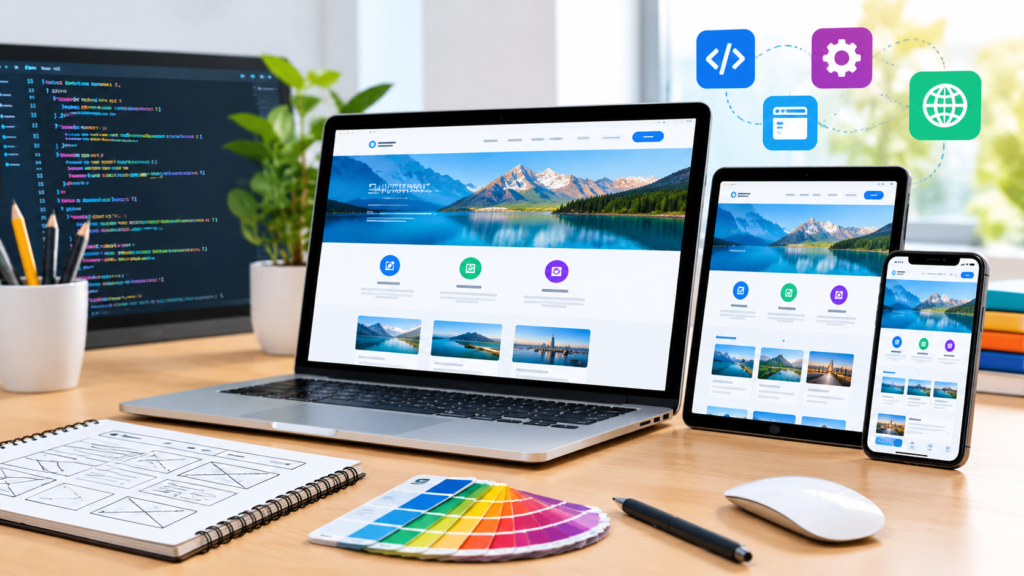
Website design and development helps businesses create fast, secure, user-friendly websites that strengthen their online presence, attract qualified visitors, and generate more leads.
Introduction
A professional website is one of the most valuable digital assets a business can build. It acts as a central point for brand communication, customer engagement, lead generation, product promotion, and online sales. Whether a company operates locally, serves customers across the country, or sells products internationally, its website often shapes the first impression potential customers form about the business. A well-planned website communicates credibility, answers important questions, and helps visitors take meaningful actions. In contrast, a confusing layout, slow loading speed, outdated design, or difficult navigation can cause potential customers to leave before they understand what the business offers.
Website design and development involves much more than selecting colours, arranging images, and publishing pages. It combines visual design, user experience, content strategy, technical implementation, search engine optimisation, accessibility, security, and ongoing performance improvements. Website design focuses on how a website looks and how people interact with it, while website development transforms those designs and requirements into a working digital experience. Both disciplines must work together to create a website that is attractive, reliable, accessible, and aligned with business objectives. A visually impressive website can still perform poorly if its technical structure is weak, just as a technically advanced website can struggle if visitors cannot understand its content or navigate it comfortably.
At Appledew UK, the goal of effective website design and development is to help businesses establish a credible online presence while creating a practical foundation for long-term growth. A successful website should reflect the brand’s identity, communicate its value clearly, support mobile users, and make important actions easy to complete. It should also be structured so search engines can understand its pages and visitors can find relevant information without unnecessary effort. This comprehensive guide explains the essential stages of planning, designing, developing, launching, and maintaining a business website. It also explores usability, responsive layouts, technical SEO, website security, performance optimisation, common mistakes, and practical best practices that businesses can use to make informed decisions about their digital presence.
Understanding Website Design and Development
Website design and development is the process of planning, creating, launching, and maintaining websites that meet specific user needs and business goals. It includes the strategic decisions made before a website is built, the visual and interactive elements users experience, and the underlying technologies that make those elements function. For a business, the process typically begins with understanding its target audience, services, products, competitors, and commercial objectives. These insights help determine the website’s structure, messaging, features, and overall user journey. Instead of beginning with colours or templates, a professional project begins by identifying what the website must accomplish and how success will be measured.
Website design concentrates on the visual and experiential aspects of the website. Designers consider layout, typography, colour combinations, imagery, spacing, navigation, page hierarchy, and interactive components. They also consider how visitors interpret information, identify important buttons, and move between pages. The purpose is not simply to make a website attractive; it is to make the experience clear and intuitive. Website development focuses on implementing that experience through suitable technologies. Front-end development creates the elements users see and interact with, while back-end development handles server-side functionality, databases, authentication, integrations, and other behind-the-scenes processes when required. Content management systems, hosting infrastructure, and third-party services may also form part of the implementation.
The strongest websites emerge when design and development decisions are coordinated from the beginning. A designer might create a sophisticated animation, for example, but the development team must evaluate whether it will work smoothly on mobile devices and whether it introduces unnecessary performance costs. Similarly, a developer may implement an advanced feature that technically works but confuses users if the design does not explain how to use it. Collaboration helps prevent these problems and keeps the project aligned with its intended purpose. Businesses should therefore assess a website not only by its appearance but also by its usability, accessibility, speed, security, maintainability, and ability to support conversions. A successful website is a complete digital experience, not just a collection of attractive pages.
Defining Website Goals and Business Requirements
Before choosing a design style or development platform, businesses should define what they want their website to achieve. Different organisations require different website experiences. A local service provider may prioritise telephone enquiries, quote requests, and location information. An online retailer may need product catalogues, secure checkout, stock management, and order tracking. A professional consultancy might focus on demonstrating expertise, publishing educational resources, and encouraging visitors to schedule consultations. Without clear objectives, website projects can become collections of unnecessary features that consume time and budget without producing meaningful results. Defining business requirements early helps ensure every major design and technical decision serves a specific purpose.
A practical planning process starts by identifying the intended audience and the problems the website should solve. Businesses should consider who their customers are, what information those customers need, what concerns may prevent them from taking action, and which devices they are likely to use. They should also examine existing business processes. For example, if a company receives repetitive enquiries about pricing, availability, or service coverage, its website could address these questions through dedicated service pages and clear FAQs. If customers frequently abandon a complicated enquiry process, a shorter form or clearer instructions might improve completion rates. These decisions should be based on customer feedback, analytics, sales conversations, and other relevant evidence rather than assumptions alone.
Once the primary objectives are established, they should be translated into measurable requirements. A lead-generation website might track completed enquiry forms, qualified leads, phone calls, and consultation bookings. An e-commerce website could monitor purchases, average order value, checkout completion, and product-page engagement. Informational websites may prioritise relevant organic traffic, returning visitors, and successful navigation to important resources. It is important to establish a baseline before launching major improvements, so future performance can be compared meaningfully. Businesses should also document practical constraints such as budget, deadlines, regulatory requirements, existing software, content availability, and internal responsibilities. This preparation reduces misunderstandings and supports more accurate project estimates. A clearly defined website brief becomes the reference point for designers, developers, content writers, and stakeholders throughout the project, keeping the final product focused on genuine business needs rather than subjective preferences.
Creating a Website Strategy and Information Architecture
Information architecture describes how website content is organised, labelled, and connected. It determines how visitors move from a homepage to service descriptions, product pages, educational resources, contact information, and other important destinations. A logical structure helps users understand what a business offers and find relevant information quickly. It also supports search engine discovery by creating meaningful relationships between pages. Before designing individual screens, a project team should map the main content categories, identify the purpose of each page, and determine how those pages relate to one another. This early planning reduces the risk of duplicated content, confusing navigation, and important pages becoming difficult to discover.
A website sitemap is a useful planning tool because it provides an overview of the proposed page hierarchy. A service-based business, for example, might organise its website around Home, Services, individual service pages, Industries, About, Resources, and Contact. Each individual service page should have a distinct purpose and explain the relevant offering in enough detail to help prospective customers make informed decisions. E-commerce websites often require additional structures for categories, product listings, product details, filters, and customer support. The ideal hierarchy depends on the complexity of the business rather than a universal number of pages. Teams should avoid adding pages simply to increase website size, and they should not force unrelated subjects into a single page when users would benefit from clearer separation.
Navigation should reflect the way visitors think about the information they need. Menu labels such as Services, Pricing, Case Studies, and Contact are generally more understandable than vague or overly creative labels that require interpretation. Breadcrumb navigation can help users understand their location within a larger website, particularly on resource-heavy or e-commerce websites. Internal links should connect related pages naturally, allowing visitors to explore useful information without repeatedly returning to the main menu. The content structure should also consider future growth. A business may add new services, publish articles, or expand into additional markets, so the architecture should accommodate these changes without becoming unnecessarily complicated. When information architecture is planned carefully, the website becomes easier to navigate, easier to maintain, and more capable of supporting future marketing campaigns. It provides the structural foundation on which visual design, content creation, technical SEO, and conversion optimisation can operate effectively.
User Experience and Conversion-Focused Website Design
User experience, commonly called UX, describes the overall experience people have when interacting with a website. It includes how easily they can understand the content, find information, complete tasks, and recover from mistakes. Good UX removes unnecessary friction and helps visitors achieve their objectives with confidence. For businesses, this matters because even a well-designed website can lose opportunities when users cannot find prices, understand service options, or determine what to do next. Effective UX design begins with understanding real user needs and then organising the website around those needs. Designers should evaluate the complete journey, from the moment someone arrives on a page to the point where they submit an enquiry, make a purchase, or access the information they need.
A key principle of conversion-focused design is visual hierarchy. Important information should be easy to identify through meaningful headings, readable text, appropriate spacing, and clearly distinguishable actions. A service page might begin with a descriptive headline, explain the main customer benefit, introduce the service, and present a clear enquiry option. Supporting sections can then address features, process, expected outcomes, evidence of experience, and frequently asked questions. Calls to action should use specific language such as “Request a Quote” or “Book a Consultation” when those actions accurately describe what happens next. Buttons should look interactive, be large enough to use comfortably, and appear at appropriate points in the user journey. Too many competing calls to action can make a page feel overwhelming, so each page should have a clear primary objective.
Conversion optimisation should be guided by evidence rather than design trends or personal opinions. Website analytics can show where visitors enter, which pages they view, and where they leave. Usability testing can reveal whether people understand the navigation, recognise important buttons, or struggle with a form. Customer support conversations can uncover questions the website fails to answer. Businesses can use these insights to prioritise improvements and test alternative approaches where sufficient traffic is available. However, a higher click rate does not automatically mean better business performance; the quality of enquiries, completed purchases, and customer satisfaction also matter. Good UX respects the visitor’s time, presents accurate information, and avoids manipulative tactics such as misleading countdowns or confusing consent choices. The objective is to make the next useful step obvious while giving users enough information to make an informed decision.
Responsive Website Design for Mobile and Desktop
Responsive website design allows a website to adapt its layout and content presentation to different screen sizes and device capabilities. Visitors may access the same business website using a large desktop monitor, a laptop, a tablet, or a smartphone. A layout that works well on a wide screen can become difficult to use on a narrow one if text is too small, buttons are crowded, or important content extends beyond the viewport. Responsive design addresses these challenges through flexible layouts, appropriately sized media, adaptable components, and CSS media queries. Rather than creating a separate experience for every device, a responsive website uses a consistent underlying system that adjusts to the available space.
A mobile-first approach can help teams prioritise essential information and functionality. Designers begin by considering the limitations of smaller screens, where space is restricted and visitors may be navigating with one hand or using a slower connection. They identify the most important content, simplify unnecessary complexity, and ensure key actions remain accessible. Layouts can then expand for larger screens, allowing additional columns, richer visual arrangements, or more detailed navigation where appropriate. Mobile-first design does not mean making the desktop experience secondary; it means ensuring the core experience works effectively under tighter constraints before adding larger-screen enhancements. Developers should test real content at multiple viewport widths instead of relying exclusively on a handful of standard device presets.
Responsive testing should cover more than whether a page fits on a screen. Teams should verify text readability, touch-target spacing, navigation behaviour, image scaling, form usability, and the handling of interactive components. They should check both portrait and landscape orientations where relevant, and test pages with long headings, error messages, and unusually large content blocks. The browser’s responsive preview is useful, but testing on actual devices can reveal issues involving keyboards, touch interactions, and device-specific behaviour. Google’s guidance on responsive web design explains why mobile accessibility and equivalent content matter for search. Businesses should therefore avoid hiding essential information from mobile users merely to simplify the layout. A responsive website improves usability across devices and creates a more consistent experience for people discovering the business through search, social media, advertising, or direct links.
Choosing the Right Website Design and Development Platform
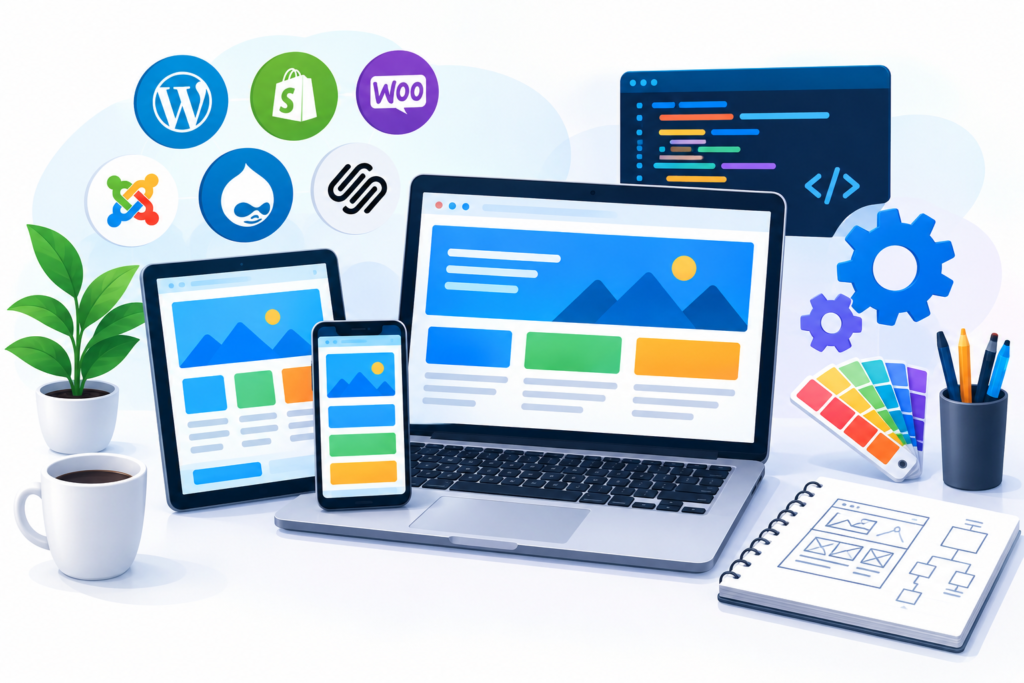
Selecting the right website platform is an important decision because it affects flexibility, development costs, performance, maintenance, and future growth. Different platforms serve different business requirements, and there is no single solution that suits every organisation. Some businesses need a straightforward website that can be updated without technical knowledge, while others require complex integrations, customer portals, membership systems, or bespoke applications. The best platform is the one that meets current requirements while providing a practical path for future improvements. Businesses should consider their budget, available technical skills, expected traffic, content management needs, security responsibilities, and the complexity of the features they intend to introduce.
Content management systems (CMS) are popular because they allow authorised users to create and update website content through an administrative interface. WordPress is one example, offering a broad ecosystem of themes, plugins, and custom development options. Hosted website builders can be useful for smaller organisations that want a simpler setup and integrated maintenance tools. E-commerce platforms provide specialised functionality for product management, inventory, payments, and order processing. Custom website development may be appropriate when standard platforms cannot satisfy important functional or integration requirements. However, custom development is not automatically superior. It often requires a larger initial investment and ongoing technical support, so businesses should establish whether its additional flexibility delivers enough value to justify the cost.
A structured platform evaluation should compare essential requirements rather than focusing only on appearance or popularity. Consider whether the platform supports responsive layouts, accessible interfaces, reliable backups, suitable analytics, search engine-friendly URLs, and secure integrations. Review its content editing experience, performance characteristics, hosting arrangements, and ability to export or migrate content. Businesses should also investigate the ongoing costs of premium extensions, transaction fees, maintenance, and developer assistance. Before committing, test the platform using realistic content and representative workflows. For example, a retailer should evaluate product variations, checkout behaviour, shipping settings, and order notifications rather than simply reviewing a theme’s demonstration pages. The final decision should balance usability, technical suitability, ownership, and total cost of ownership. A carefully chosen platform allows a business to publish content efficiently, maintain its website responsibly, and invest in improvements without repeatedly rebuilding its digital infrastructure.
Visual Design, Branding, and Website Content
Visual design helps visitors recognise a brand, understand information, and develop confidence in a business. A website’s colours, typography, imagery, icons, spacing, and layout should work together to create a consistent identity. These elements influence how people interpret the business before they read every detail of its services. However, professional design does not require excessive animation, elaborate effects, or complicated layouts. Often, a clear visual hierarchy, consistent spacing, readable text, and relevant imagery produce a more effective result than unnecessary decoration. The design should reflect the organisation’s positioning and audience expectations while keeping usability at the centre of every decision.
A consistent design system makes the website easier to maintain as it grows. This system may define brand colours, heading styles, body text sizes, button appearances, form fields, card layouts, image ratios, and spacing rules. Reusable components allow developers to apply the same patterns across multiple pages, reducing inconsistencies and making later changes more efficient. Typography deserves particular attention because it affects both readability and visual identity. Businesses should choose fonts that remain clear at different sizes and use heading levels logically. Colour contrast should be sufficient for people with visual impairments, and information should not rely on colour alone. Images should have a clear purpose, load efficiently, and support the message rather than simply filling empty space.
Content is equally important because visitors need more than an attractive presentation to understand an offer. Effective website copy explains what the business does, who it serves, what problems it solves, and why a visitor should consider its services. Service pages should provide meaningful details about the process, deliverables, relevant experience, and practical considerations. Authentic testimonials, verifiable case studies, staff biographies, and transparent contact information can strengthen trust when they are accurate and appropriate. Businesses should avoid exaggerated claims, unsupported statistics, and generic descriptions that could apply to almost any competitor. Content should be written for people first, using natural language and clear explanations. Google’s helpful, reliable, people-first content guidance provides a useful reference for creating content that genuinely serves its audience. When visual design, branding, and informative copy work together, a website becomes more memorable, easier to understand, and better equipped to support meaningful customer relationships.
Website Development Technologies and Technical Implementation
Website development transforms approved designs, content, and functional requirements into a working website. The technologies selected for this process should support the site’s intended features without introducing unnecessary complexity. Front-end development commonly involves HTML for document structure, CSS for presentation, and JavaScript for interactive behaviour. HTML provides semantic elements that describe headings, navigation, forms, and other content. CSS controls layouts, typography, spacing, and responsive behaviour. JavaScript can support features such as interactive menus, form validation, filtering, and dynamic content. These technologies should be implemented carefully so essential content remains understandable and usable, including when optional scripts fail or a visitor uses assistive technology.
Back-end development becomes important when the website requires server-side processing, user accounts, database access, booking functionality, personalised experiences, or connections with external systems. Depending on the project, developers may use server-side languages, frameworks, databases, APIs, and authentication services to deliver these capabilities. A business website that accepts enquiries may need only a secure form-processing workflow, whereas a customer portal may require permission controls, account management, and more sophisticated data handling. Each feature should be assessed according to its business value and operational requirements. Adding unnecessary technology can increase maintenance costs, introduce security risks, and make future changes harder. Well-structured code, reusable components, clear documentation, and appropriate testing are generally more valuable than complexity for its own sake.
Technical implementation should also account for maintainability, compatibility, and reliability. Developers should use supported software versions, manage dependencies carefully, and separate development and production environments where appropriate. Changes should be tested before they reach the live website, particularly when they affect payments, forms, authentication, or other critical workflows. Version control can help teams track code changes and recover from implementation mistakes. Automated testing may be appropriate for important functionality, while manual testing remains useful for assessing the complete user experience. Third-party integrations should be reviewed for permissions, reliability, and data handling. Technical documentation should explain key configurations, integrations, backup procedures, and deployment steps so another qualified professional can maintain the system if responsibilities change. A strong development process produces more than a working website: it creates a dependable technical foundation that can be improved, monitored, and maintained as business needs evolve.
Search Engine Optimisation for Website Design and Development
Search engine optimisation (SEO) should be considered throughout the website design and development process rather than added as an afterthought. A website can have excellent visuals and useful content yet struggle to attract organic visitors if search engines cannot discover its pages, understand its structure, or interpret its relevance to users’ searches. Technical SEO, on-page optimisation, content quality, internal linking, and user experience all contribute to building a website that is accessible to both people and search engines. Businesses should start by understanding the questions their potential customers ask, the services they are looking for, and the information they need before making a decision. This research helps shape page topics, navigation, headings, and content priorities without encouraging unnatural keyword repetition.
On-page SEO begins with creating a clear purpose for every important page. A service page should explain the service in sufficient detail, use a descriptive page title, and include a relevant main heading. Supporting headings can organise information into logical sections, while descriptive URLs help users understand the destination before clicking. Meta descriptions should summarise the page accurately and encourage relevant visitors to explore it, although they are not a direct Google ranking factor. Images should be compressed appropriately and use meaningful alternative text when they communicate information. Internal links should connect related services, resources, and supporting pages through natural, descriptive anchor text. For example, a web design company could link a relevant phrase such as search engine optimisation to a resource explaining how search engines discover and understand website content.
Technical SEO ensures that a website’s important pages can be crawled, rendered, and indexed appropriately. Developers should review robots.txt rules, XML sitemaps, canonical tags, redirect behaviour, and indexation settings. Pages that should appear in search results must not accidentally carry directives that prevent indexing. Websites migrating from older platforms should map existing URLs to relevant destinations and preserve valuable links wherever possible. Structured data may help search engines interpret eligible information, but it must accurately reflect visible page content and comply with the relevant guidelines. Google’s SEO Starter Guide provides practical advice for building search-friendly websites. Businesses should also monitor performance through Google Search Console and suitable analytics tools. SEO is an ongoing process, not a guarantee of rankings, and results depend on many factors, including relevance, competition, content quality, and how effectively the website serves searchers.
Website Speed, Performance, and Core Web Vitals
Website performance affects how quickly visitors can access content and interact with important features. When a page loads slowly, users may abandon it before seeing the main offer or completing a task. Performance can be affected by oversized images, excessive scripts, unoptimised fonts, inefficient server responses, unnecessary plugins, and third-party services. These issues often accumulate gradually as businesses add new features and marketing tools. A performance-focused development process evaluates the entire page rather than concentrating exclusively on its initial appearance. The objective is to make meaningful content available quickly, keep layouts stable, and ensure interactions respond reliably across different devices and network conditions.
Google’s Core Web Vitals provide three important measures of user experience. Largest Contentful Paint (LCP) measures how quickly the main visible content loads. Interaction to Next Paint (INP) evaluates how responsive a page is to user interactions. Cumulative Layout Shift (CLS) measures unexpected visual movement during loading and use. Google’s current guidance identifies good target values of LCP at 2.5 seconds or less, INP at 200 milliseconds or less, and CLS at 0.1 or less, assessed at the 75th percentile of page visits. These measurements help teams identify user experience problems that may not be obvious during a quick desktop review. Google’s Core Web Vitals guidance explains the metrics and their relevance to page experience.
Improving performance usually requires a combination of technical and design decisions. Images should be sized appropriately, compressed, and delivered in modern formats where supported. Responsive image techniques can prevent small devices from downloading unnecessarily large assets. Developers can defer non-critical scripts, remove unused code, enable suitable caching, and minimise unnecessary requests. Fonts should be loaded efficiently, while embedded videos and other heavy content should not delay access to the primary page information. A reliable hosting environment and content delivery network may improve delivery times for geographically distributed audiences. However, performance improvements should be measured rather than assumed. Tools such as PageSpeed Insights provide diagnostic information, while real-user field data helps reveal how the site performs outside a controlled test. Teams should prioritise the changes that improve actual user experience without removing useful functionality or compromising accessibility.
Website Security, Privacy, and Reliability
Website security protects business systems, customer information, and the availability of online services. Even a small business website may collect personal information through contact forms, store customer details, integrate with email platforms, or depend on third-party plugins. If these systems are poorly maintained, they can become vulnerable to unauthorised access, data exposure, malware, or service disruption. Security should therefore be incorporated into the website’s architecture, development workflow, hosting configuration, and ongoing maintenance plan. Businesses should identify the information they collect, determine which systems process it, and ensure that access is limited to people and services that genuinely need it.
HTTPS should be enabled using a valid TLS certificate to encrypt data transmitted between visitors and the website. Developers should also keep the CMS, themes, plugins, frameworks, and server software updated. Strong authentication, multi-factor authentication where available, and individual user accounts help reduce the risks associated with compromised credentials. Administrative permissions should follow the principle of least privilege, giving each person only the access necessary for their responsibilities. Forms and APIs should validate incoming data, and sensitive operations should use appropriate authorisation controls. Businesses must also protect backups, monitor for suspicious activity, and establish a recovery procedure. A backup is useful only if it can be restored, so restoration testing should form part of the maintenance process.
Privacy and legal compliance are equally important. Organisations should explain how personal information is collected and used, avoid collecting unnecessary data, and review the privacy implications of analytics tools, advertising pixels, embedded services, and mailing-list integrations. Businesses operating in or targeting the UK should assess their responsibilities under applicable data protection and cookie rules, including the UK GDPR and Privacy and Electronic Communications Regulations where relevant. Consent mechanisms should accurately reflect the technologies being used and should not mislead visitors. Google’s HTTPS guidance explains the importance of secure connections for websites. Security planning should also include an incident-response process that identifies who is responsible, how a suspected breach will be investigated, and which notification obligations may apply. No website can be guaranteed completely secure, but consistent updates, sensible access controls, tested backups, monitoring, and responsible data handling substantially improve resilience and trustworthiness.
Website Accessibility and Inclusive Design
Website accessibility means designing and developing digital experiences that people with different abilities can use effectively. This includes people with visual, hearing, motor, cognitive, and other disabilities, as well as users who navigate by keyboard, use screen readers, magnify content, or adjust display settings. Accessibility should be part of the design process from the beginning rather than treated as a final technical adjustment. An accessible website benefits a wider range of users, including people using mobile devices in difficult conditions, visitors with temporary injuries, and individuals who find complex interfaces difficult to understand. It also helps businesses communicate information more clearly and reduce unnecessary barriers to enquiries, purchases, and other important actions.
Several practical techniques improve accessibility. Semantic HTML helps assistive technologies interpret headings, navigation, lists, buttons, and form controls. Images that communicate meaningful information should have appropriate alternative text, while purely decorative images can generally use empty alternative text so they do not create unnecessary noise for screen-reader users. Forms should have clearly associated labels, understandable instructions, and helpful error messages that explain how to correct a problem. Text should have sufficient colour contrast, and users should be able to navigate interactive elements using a keyboard. Focus indicators should remain visible, headings should follow a logical hierarchy, and links should make sense when read outside their surrounding paragraph. Videos containing spoken information may need captions, while complex visual information may require a textual explanation.
Accessibility testing should combine automated tools with manual evaluation. Automated scanners can identify certain issues, such as missing labels or insufficient colour contrast, but they cannot reliably determine whether every interaction is understandable or whether alternative text communicates the correct meaning. Manual keyboard testing, screen-reader checks, zoom testing, and feedback from people with disabilities can reveal problems that automated checks miss. Teams should use the Web Content Accessibility Guidelines (WCAG) as a recognised reference when defining accessibility requirements. WCAG provides criteria organised around four principles: perceivable, operable, understandable, and robust. The appropriate conformance target depends on the project and applicable legal obligations. Businesses should avoid relying on accessibility overlays as a substitute for fixing underlying issues. Instead, they should incorporate accessible components, review content regularly, and make accessibility part of quality assurance. Inclusive design creates a more usable website and demonstrates that the business takes its responsibilities to a diverse audience seriously.
Website Testing, Launch, and Quality Assurance
Website testing verifies that a website works as intended before it becomes publicly available. Even a well-planned project can contain broken links, layout defects, missing content, form errors, browser incompatibilities, or security misconfigurations. A structured quality assurance process reduces the likelihood that these problems will affect customers after launch. Testing should begin during development rather than being postponed until the final day. Individual components can be checked as they are built, while integrated workflows should be tested once the relevant features are connected. The final review should assess the website as a complete user experience, covering both technical functionality and the business tasks visitors are expected to complete.
Functional testing should cover navigation, forms, buttons, search features, account workflows, booking tools, and checkout processes where applicable. Every form should be tested with valid information, missing required fields, and realistic error scenarios. Teams should confirm that enquiries reach the intended inbox or customer management system and that visitors receive appropriate confirmation messages. Content reviews should check spelling, grammar, service descriptions, pricing, contact details, image quality, and consistency across pages. Responsive testing should cover a range of screen sizes and browsers. Accessibility checks should include keyboard navigation and meaningful focus states. Performance testing should examine important pages rather than relying on the homepage alone. If the website processes payments or sensitive information, additional security and transaction testing may be required.
Before launch, the team should verify hosting settings, HTTPS, redirects, backups, analytics configuration, and search engine indexation settings. A staging environment allows the website to be reviewed without exposing unfinished changes to visitors. A launch checklist should identify who approves the release, who deploys it, how problems will be reported, and how the previous version can be restored if necessary. After launch, the team should test the live website again because differences between staging and production can introduce unexpected issues. Check important forms, page loading, analytics events, mobile navigation, and key URLs. A sitemap can be submitted through Google Search Console when appropriate, but submission does not guarantee indexing. The first days after launch should include active monitoring so errors can be identified quickly. A controlled launch process protects customer confidence and helps the business begin its next stage of website improvement with reliable data.
Website Maintenance, Analytics, and Continuous Improvement
Launching a website is the beginning of its operational life, not the end of the project. Websites depend on software, hosting, integrations, content, and security controls that change over time. Without regular maintenance, outdated components can create vulnerabilities, links can break, and previously reliable features can stop working. A maintenance plan should assign responsibility for updates, backups, security reviews, uptime monitoring, and technical support. The frequency of these activities depends on the website’s complexity and risk profile, but critical security updates should be assessed promptly. Routine checks should also verify that backups are completing successfully, restoration remains possible, and important website functions continue to work after changes.
Analytics help businesses understand whether the website is meeting its objectives. Relevant measurements may include qualified enquiries, completed purchases, conversion rates, organic search visits, engagement with important resources, and customer acquisition costs. The right metrics depend on the business model. For example, a service provider may care more about the number of qualified consultations than the total number of page views. An online retailer may examine product discovery, cart abandonment, checkout completion, and revenue by acquisition channel. Tools should be configured to track meaningful events accurately and in accordance with applicable privacy requirements. Teams should distinguish between observed data and assumptions, because a change in traffic or conversion rate may result from several factors rather than a single design decision.
Continuous improvement involves using these insights to identify opportunities, test changes, and evaluate outcomes. If users frequently leave a service page without contacting the business, the team might investigate whether the page answers key questions, explains the offer clearly, or provides an accessible next step. If a form has a high abandonment rate, the team could assess its length, instructions, error handling, and mobile usability. Where traffic volume permits, controlled experiments can help compare alternative approaches. Otherwise, usability testing and qualitative feedback may provide more useful evidence than attempting to draw conclusions from small data samples. Content should also be reviewed periodically to ensure information remains accurate, useful, and aligned with the business’s services. A documented improvement roadmap helps prioritise changes according to their expected value, implementation effort, and risk. This creates a sustainable cycle of measurement and refinement that keeps the website relevant as customer expectations, technologies, and commercial priorities evolve.
Common Website Design Mistakes and Best Practices Summary
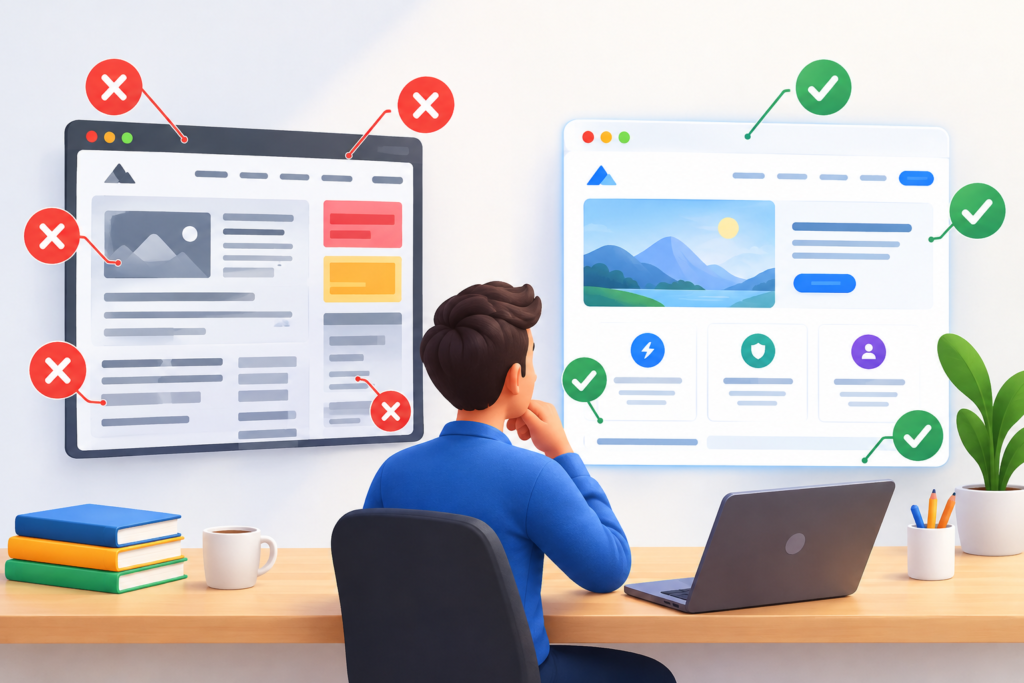
One of the most common website design mistakes is prioritising appearance over usability. Businesses may invest in large animations, decorative effects, or unconventional navigation while overlooking basic questions visitors need answered. If users cannot quickly understand the offer, find contact details, or complete a task, visual sophistication will not compensate for the confusion. Another frequent problem is designing only for desktop screens and treating mobile responsiveness as a final adjustment. Small text, crowded buttons, overflowing layouts, and difficult forms can undermine the experience for mobile visitors. Businesses should instead begin with clear objectives, intuitive information architecture, readable content, and accessible interactions. Visual creativity is valuable when it supports the message and improves the experience rather than distracting from it.
Technical mistakes can be equally damaging. Uncompressed images, unnecessary plugins, excessive third-party scripts, and poorly configured hosting may reduce performance. Missing redirects during a redesign can send visitors to broken pages and cause the loss of useful URL relationships. Inconsistent backups, outdated software, weak passwords, and excessive administrative permissions can increase security risks. Search visibility may suffer when important pages are accidentally blocked from indexing, duplicate URLs are handled poorly, or content provides little value to users. Businesses should avoid assuming that installing an SEO plugin automatically makes a website search-friendly. Technical configuration, useful content, internal linking, and ongoing measurement all require deliberate attention. Before adding a feature or tool, teams should consider whether it solves a genuine problem and whether its ongoing costs and risks are justified.
The most effective best practices bring strategy, design, development, and maintenance together. Start with defined business goals and an understanding of the target audience. Plan the website structure before building individual pages, and write content that answers genuine customer questions. Use a consistent design system, responsive layouts, semantic HTML, and accessible components. Select a platform based on requirements rather than hype, and implement security controls from the beginning. Optimise performance through measurement, test important user journeys before launch, and verify the live website after deployment. Use analytics to evaluate meaningful business outcomes, review content regularly, and prioritise improvements based on evidence. Above all, treat the website as a long-term business asset that needs care and refinement. A high-performing website is not defined by design alone; it succeeds when usability, trustworthy content, technical reliability, accessibility, and business strategy work together.
Frequently Asked Questions
1. What is website design and development?
Website design and development is the combined process of planning, designing, building, testing, and maintaining a website. Design focuses on the visual presentation, layout, branding, navigation, and user experience. Development implements those designs using technologies such as HTML, CSS, JavaScript, server-side programming, and content management systems. Depending on the project, the process may also include content creation, technical SEO, accessibility, analytics, security, and integrations. The goal is to create a website that meets user needs while supporting specific business objectives.
2. How much does professional website design and development cost?
The cost depends on the website’s size, complexity, platform, design requirements, and required functionality. A straightforward brochure website generally requires less investment than a large e-commerce platform or a custom web application. Costs may include planning, design, development, content writing, hosting, domain registration, integrations, testing, and ongoing maintenance. Businesses should request a detailed quotation that separates initial project costs from recurring expenses. Comparing providers solely on price can be misleading if their proposals include different deliverables, levels of support, or technical responsibilities.
3. How long does it take to build a business website?
A simple business website may take a few weeks, while a complex website with custom functionality, extensive content, or multiple integrations may require several months. Timelines depend on how quickly requirements are approved, content is supplied, designs are reviewed, and technical issues are resolved. Projects can be delayed by unclear objectives, frequent scope changes, missing content, or late stakeholder feedback. A clear project plan with defined milestones, responsibilities, testing periods, and approval stages helps keep development organised and realistic.
4. Why is responsive website design important?
Responsive design allows a website to adapt to smartphones, tablets, laptops, and desktop computers. It helps maintain readable content, usable navigation, and accessible functionality across different screen sizes. This matters because visitors increasingly discover businesses through mobile searches, social media, email links, and online advertising. A responsive website also supports Google’s mobile-oriented indexing practices. However, responsiveness alone does not guarantee good performance: mobile pages must also load efficiently, present useful content, and allow visitors to complete important tasks comfortably.
5. Does website design affect SEO rankings?
Website design can influence SEO through factors such as navigation, content organisation, mobile usability, page performance, and accessibility. A confusing website may make it harder for visitors to find information, while technical issues can interfere with crawling or indexing. Clear page structures, descriptive headings, useful internal links, and responsive layouts help create a search-friendly experience. Nevertheless, attractive design alone does not guarantee higher rankings. Search performance also depends on content relevance, usefulness, competition, technical accessibility, and other factors. Businesses should combine thoughtful design with a comprehensive SEO strategy.
6. Which platform is best for website development?
The best platform depends on the business’s objectives, budget, technical requirements, and internal capabilities. WordPress may suit businesses that need flexible content publishing and customisation. Hosted website builders can simplify management for smaller projects, while specialist e-commerce platforms provide tools for products, payments, and orders. Custom development may be justified when a business requires specialised workflows or integrations that existing platforms cannot adequately support. The decision should consider security, accessibility, maintenance, performance, scalability, content ownership, and the total cost of operating the website.
7. How can I make my website load faster?
Begin by measuring performance with tools such as Google PageSpeed Insights. Common improvements include compressing images, using appropriate image dimensions, removing unnecessary scripts, reducing unused CSS, enabling caching, and improving hosting configuration. Developers should also review third-party integrations, font loading, and server response times. Google’s Core Web Vitals provide useful targets for evaluating loading speed, responsiveness, and visual stability. Test changes on important pages and across different devices to confirm that improvements are measurable and that essential functionality remains intact.
8. How often should a business website be updated?
Technical maintenance should be ongoing, with security updates assessed promptly and routine checks scheduled according to the website’s complexity and risk. Content should be reviewed whenever services, pricing, policies, or business details change, and important pages should be audited periodically for accuracy and usefulness. Performance, analytics, backups, links, forms, and integrations should also be checked regularly. Websites in competitive or rapidly changing industries may need more frequent content improvements than relatively stable informational sites. A documented maintenance schedule helps prevent problems from being overlooked.
9. What should be included in a website design and development brief?
A useful brief should explain the business, target audience, objectives, services or products, required pages, desired functionality, brand guidelines, content requirements, budget, and expected launch date. It should also identify integrations, accessibility needs, security considerations, SEO requirements, and any existing website assets that must be retained. Success metrics should be defined before development begins. A clear brief helps the design and development team estimate the project accurately, identify risks early, and produce a website aligned with business priorities.
10. Can an existing website be redesigned without losing SEO progress?
Yes, but a redesign should be planned carefully to protect valuable content and existing URL relationships. Before making changes, document important URLs, review search performance, identify high-value pages, and record existing redirects. Where possible, retain relevant URLs and preserve useful content. If URLs must change, create appropriate redirects to equivalent destinations, update internal links, and review canonical and indexation settings. After launch, monitor Google Search Console for crawling, indexing, and search performance issues. A redesign cannot guarantee that rankings will remain unchanged, but careful planning reduces avoidable risks.
Common Mistakes to Avoid in Website Design and Development
Starting without a clear strategy: Beginning with templates or visual preferences before defining business goals can produce a website that looks polished but fails to support meaningful customer actions. Establish objectives, audience needs, and success measures first.
Ignoring mobile users: A layout that works on a desktop may be difficult to navigate on a phone. Test real content, forms, buttons, and menus across different screen sizes before launch.
Publishing generic content: Vague descriptions do not explain why a customer should choose a business. Create original service information, answer genuine questions, and support important claims with appropriate evidence.
Overloading pages with features: Unnecessary animations, plugins, pop-ups, and third-party scripts can slow the website and distract visitors. Add features only when they solve a defined problem.
Neglecting technical SEO: Broken links, accidental noindex directives, poor redirects, duplicate URLs, and unclear site architecture can undermine search visibility. Include technical checks in development and launch procedures.
Treating security as a one-time task: Security requires ongoing updates, appropriate access permissions, reliable backups, and a tested recovery plan. Review these controls regularly.
Failing to test forms and integrations: A form that appears to work may not deliver enquiries correctly. Test submissions, notifications, integrations, confirmation messages, and error handling before and after launch.
Ignoring website analytics: Without meaningful measurements, businesses may struggle to determine whether the website is generating qualified leads or sales. Configure appropriate tracking and review results against defined goals.
Making changes without testing: Significant redesigns or technical updates can introduce unexpected problems. Use staging environments, quality assurance, and rollback procedures where appropriate.
Assuming a launch completes the project: Websites require maintenance, content improvements, performance monitoring, and periodic reviews. Plan for ongoing ownership and improvement from the beginning.
Best Practices Summary for a Successful Business Website
Plan before designing: Establish clear objectives, understand the target audience, document requirements, and create a logical sitemap before building pages.
Prioritise user experience: Use straightforward navigation, readable content, clear calls to action, and forms that are easy to complete.
Design for every device: Implement responsive layouts and test important user journeys on mobile, tablet, and desktop screens.
Publish helpful content: Explain services accurately, answer customer questions, demonstrate relevant expertise, and avoid unsupported claims.
Build with SEO in mind: Use descriptive titles, meaningful headings, natural internal links, crawlable pages, and appropriate technical configuration.
Optimise performance: Compress images, reduce unnecessary scripts, use suitable hosting, and measure Core Web Vitals on important pages.
Make accessibility a priority: Use semantic HTML, accessible forms, adequate contrast, keyboard navigation, and appropriate alternative text.
Protect the website: Enable HTTPS, maintain software, apply least-privilege access controls, and test backups and recovery procedures.
Test before launch: Review functionality, content, compatibility, security, responsiveness, and analytics configuration.
Measure and improve: Monitor meaningful business outcomes, collect user feedback, fix problems, and prioritise improvements based on evidence.
Maintain consistently: Keep software and content current, review integrations, and assign clear responsibility for website operations.
Conclusion
Website design and development is a strategic investment that can help businesses build credibility, communicate their value, attract relevant visitors, and support sustainable growth. The most effective websites combine thoughtful planning, user-centred design, reliable development, helpful content, technical SEO, accessibility, and strong security practices. Every element should contribute to a coherent experience that makes it easier for visitors to understand the business and take the next appropriate step.
A successful website is not necessarily the one with the most complicated features or the most expensive visual effects. It is the one that serves its audience effectively, performs reliably, supports business objectives, and remains useful as customer expectations evolve. By setting measurable goals, choosing appropriate technologies, testing thoroughly, and investing in continuous improvement, businesses can develop websites that provide lasting value rather than short-term visual impact.
At Appledew UK, professional website design and development is about creating digital experiences that bring together brand identity, functionality, usability, and business strategy. Whether you are building a new website or improving an existing one, a structured approach can help you make better decisions, avoid unnecessary costs, and create a stronger foundation for your online presence. The next step is to assess your current requirements, identify the improvements that matter most, and turn those priorities into a practical implementation plan.
Want to Implement This Easily?
Prompt Text:
You are an expert consultant. Based on the blog post titled “Website Design and Development”, provide a step-by-step, practical implementation guide. Include tools, best practices, common mistakes to avoid, and advanced tips. Assume the reader wants to implement everything discussed in this article effectively.
Call to Action:
Want our help implementing this? Just reach out to us via our website contact form: https://appledew.co.uk/contact-us/